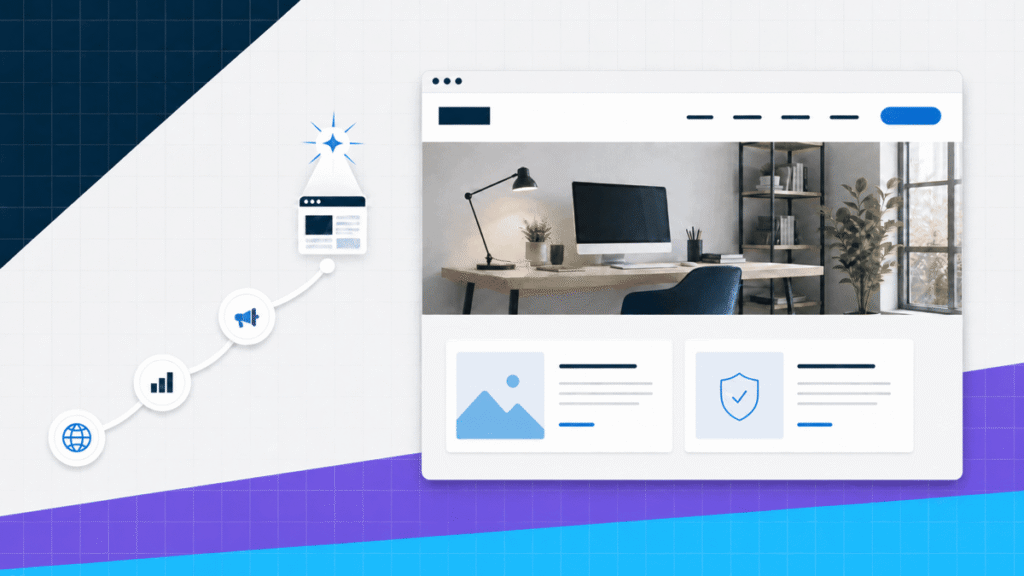
A social profile can introduce you. A marketplace listing can put an offer in front of active buyers. Neither one gives your business, work, or ideas a complete home.
That is what a website does. It gives you an address you control, enough room to explain what matters, and a clear path for someone who wants to learn, contact, subscribe, or buy.
Quick answer: do you need a website?
You probably need a website if the project is real enough that someone needs to understand it, trust it, contact it, or buy from it. Build one for an active business, serious portfolio, growing body of content, or store. You can wait if you are still testing an idea and have nothing useful to publish yet.
Start small. Give the first version one job, four or five essential pages, and one primary action. You can add more after real visitors show you what is missing.
Use this decision rule: if you keep sending people a pile of separate links, screenshots, PDFs, profile pages, or repeated explanations, the project is ready for a website.
The table below shows why a website, social profile, and marketplace listing work better as a system than as replacements for one another.
| Own this Your website | Social profile | Marketplace listing | |
|---|---|---|---|
| You control the layout | Yes | Limited | Limited |
| You control the address | Yes | No | No |
| Best at | Explaining, proving, and converting | Discovery and conversation | Reaching active buyers |
| Main dependency | Hosting, software, and maintenance | Platform rules and feed changes | Platform rules, fees, and competition |
| Long-term role | The home base | A distribution channel | A sales channel |
Swipe to compare more options. Your website stays pinned.
Use social platforms and marketplaces to reach people. Use your website as the place where the full story, proof, offers, and next steps live.
The website is the home base. Social platforms and marketplaces are useful roads that lead people there.
1. You own the address and the presentation
Your domain is the one online address built around your name, business, or project. You choose the pages, order, design, links, forms, products, and calls to action. A platform profile gives you a space inside somebody else’s layout.
Ownership does not mean the site runs without outside services. You still use a registrar, hosting company, software, and third-party tools. The difference is that the structure is yours to manage, back up, move, and improve.
Here is the finished CAPW homepage from our current build tutorial. Notice how the message, identity, and first action work together in one place.
If you want to see that site built from the beginning, the full walkthrough below covers hosting, WordPress, a template, Elementor, pages, forms, navigation, mobile editing, and launch.
You do not need every step memorized before starting. The video shows what the complete path looks like so the moving pieces stop feeling mysterious.
2. People can find the full version of your work
A profile bio and pinned post can point in the right direction, but they are compressed by design. A website can give each service, project, product, or article its own useful page and connect related information without forcing the visitor to dig through a feed.
Search visibility is not automatic. Publishing a site does not guarantee rankings or traffic. It gives search engines crawlable pages that can answer specific questions, and it gives you a place to improve those answers over time.
A website is not a traffic strategy by itself. You still need a reason for someone to visit: a useful service page, strong project, product, article, tool, video, email, referral, or campaign.
3. You can explain the offer without cramming it into a bio
The right visitor usually has more than one question. What do you do? Is it for someone like me? What does the process look like? What proof do you have? What should I do next?
A good homepage answers the first questions and routes the visitor to the detail they need. The service page explains the offer. The work or testimonial section proves it. The contact page makes the next step clear.
| Page | Its job | What belongs there |
|---|---|---|
| Home | Explain and route | Offer, audience, proof, and primary action |
| About | Build trust | Relevant story, experience, values, and people |
| Main offer | Show the substance | Services, work, products, or article categories |
| Proof | Support the claim | Projects, results, testimonials, reviews, or process |
| Contact or checkout | Turn interest into action | Form, booking, email, phone, location, or purchase flow |
The website design guide shows how to turn that page plan into a clear hierarchy without adding effects for the sake of it.
4. A custom email address makes the project easier to recognize
A custom-domain address connects the inbox to the same identity people see on the site. Instead of asking a client to remember an unrelated account name, you can use an address such as hello@yourdomain.com or yourname@yourdomain.com.
This clip shows the mailbox-creation step inside Hostinger. The important part is the domain attached to the account, not the word you choose before the @ symbol.
Our Gmail with a custom domain guide explains the complete current setup and the parts of the older Gmail workflow you should no longer use.
5. Visitors get a direct way to contact you
A website can connect interest to the right next step: a contact form, estimate request, consultation booking, newsletter signup, application, phone number, or store checkout. That path belongs next to the information that created the interest.
The form still needs to work. Send a real test submission, confirm the notification reaches the correct inbox, read the confirmation message, and repeat the test on a phone.
If the form is the missing piece, the WordPress contact form guide covers the full build from choosing fields through testing notifications.
6. You can prove what you know or what you have done
A claim is easy to write. Proof takes room. A website can organize projects, before-and-after examples, case studies, credentials, testimonials, samples, and explanations of your role.
That context matters for both businesses and individuals. A designer can explain the problem behind a project. A consultant can show the process. A photographer can group work by specialty. A job candidate can connect skills to finished examples.
For a personal body of work, use the portfolio website guide to plan the homepage, project pages, About page, and inquiry path.
7. Your content can stay organized and useful
Feeds are built around what is new. A website can organize information around what is useful. Categories, topic pages, navigation, internal links, and search help an older article or resource remain reachable after the day it was published.
This does not mean you should publish random articles to keep the site busy. Build around questions your audience asks, connect related pages, update important material, and remove anything you are no longer willing to maintain.
If publishing is the main job, the WordPress blog guide covers the structure, categories, content plan, email capture, and launch.
8. You can sell through an experience you control
A store can put the product page, options, price, policies, checkout, and post-purchase communication into one connected flow. You decide how much detail a buyer needs and where the important reassurance appears.
Selling on a marketplace can still be useful because buyers are already there. The website gives the brand its own store, content, customer journey, and room to grow beyond one marketplace listing format.
Use the online store guide if you need products, payments, shipping, coupons, and order management. Complete a real test purchase before sharing the URL.
9. The website can grow with the project
The first version does not need every future feature. A business site can add service-area pages, bookings, or case studies. A portfolio can add a new specialty. A blog can add email signup and topic hubs. A store can expand its catalog and fulfillment rules.
That growth is easier when the site starts with clear ownership, a stable domain, a small page system, and tools chosen for the job. It is harder when every section was added because a template happened to include it.
Do not build the imaginary five-year version first. Launch the smallest complete version that helps a real visitor understand and act. Add complexity only when the project earns it.
10. You can build the first version without coding
You do not need to invent the layout or program every interaction. I recommend starting with a professional template, then replacing the copy, images, colors, pages, and calls to action until the site fits the real project.
For a website you want to own and expand, I use WordPress with a lightweight theme and visual builder. A hosted builder can be faster for a smaller project, but compare the long-term limits before you commit.
Build approach
Building your first website yourself
Why I recommend it
- You learn the system You know where the pages, domain, forms, analytics, backups, and design controls live.
- Changes do not require a new quote You can publish a page, replace an image, update an offer, or correct a mistake when the work is ready.
- You can start small A focused site can begin with a homepage, one main offer or body of work, an About page, and a contact path.
What you take responsibility for
- You need a maintenance routine Updates, backups, security, forms, renewals, and content accuracy still need attention after launch.
- The first version takes focused time A template removes much of the design work, but you still need clear copy, real images, and a useful page plan.
- More options can create more decisions Themes, plugins, builders, and hosting plans are easier to handle when the site has one clear job.
The step-by-step website guide explains the full path and routes you to the right build. If the platform is still the question, compare the current choices in our website builder guide.
When you may not need a website yet
A website is useful when it has a job. You can wait when there is no real project behind it, when you are running a short test that fits completely inside one existing platform, or when you cannot commit to keeping basic information accurate.
- You are validating an idea. A simple signup form, marketplace listing, or direct outreach may answer the first question faster.
- The project is temporary. A one-day event, private group, or short campaign may work inside an existing platform.
- You have nothing to publish yet. Collect the offer, work, products, proof, and contact details before designing empty pages.
- You will not maintain it. An abandoned site with broken forms and stale information can create more confusion than a clean current profile.
Waiting should have a reason and an end point. Decide what must become true before the site is worth building, then start when that condition is met.
Choose the website you are building
Do not open a builder until you know the job. Choose the closest path and use that guide as the page plan:
- Business website: explain an offer, build trust, and create a lead path. Use the business website guide.
- Portfolio website: organize work, explain your role, and earn inquiries. Use the portfolio website guide.
- Blog: publish useful content, organize topics, and build an audience you can reach again. Use the blog guide.
- Online store: control products, payments, shipping, and checkout. Use the online store guide.
Each guide uses the same foundation but changes the pages, proof, features, and testing around the visitor’s goal.
Do you need a website FAQs
Frequently Asked Questions
Do I really need a website?
You need a website when people must understand your work, trust you, contact you, read your ideas, or buy from you outside a single platform. You can wait if you are still testing an idea and have no offer, work, or content to publish. Once the project is real, give it an address you control.
Do I need a website if I already have social media?
Social media is useful for discovery, updates, conversation, and community. It is a poor replacement for a complete home base. Use social posts to reach people, then send interested visitors to a website where the full offer, proof, contact path, and owned content live.
Does a small business need a website?
Most established small businesses benefit from one. A clear business site can explain services, service areas, proof, frequently asked questions, and the next step without making every prospect call for basic information. Use the business website guide to plan it.
Do I need a website for a portfolio?
A website gives your work context that a PDF or social feed often lacks. You can organize projects, explain your role, show a process, add testimonials, and create a direct inquiry path. The portfolio guide shows the complete structure.
Can I make a website without coding?
Yes. A professional template and visual website builder handle most of the layout and code. You still need to choose the pages, write the copy, add real media, and test the experience, but you do not need to program the site from scratch.
How much does a basic website cost?
The cost depends on the platform, hosting term, domain, paid templates, plugins, ecommerce tools, and whether you hire help. Compare the complete first-year and renewal cost before committing. Do not judge a platform by one promotional number.
What pages does a first website need?
Most first sites need a homepage, one main offer or content area, an About page, proof such as work or testimonials, and a contact or checkout path. Add pages only when they answer a real visitor question or support an action.
Should I use WordPress or a website builder?
I recommend WordPress for a website you want to own, extend, and move over time. A hosted builder can be easier for a small project with simpler needs. Compare the current options in our website builder guide.
Build a useful home, not a bigger profile
You do not need a website because everyone else has one. You need it when the project deserves a home you control: one place to explain it, prove it, organize it, and give the right person a next step.
Choose that job first. Then build the smallest complete version that can do it well.