
Hostinger has been our go-to hosting recommendation for years, and it’s still where we point almost everyone who asks. This review covers what you actually get in 2026: current plans and pricing, real speed and uptime numbers, and where it falls short, so you can decide if it is the right host for your site.
By far my best recommendation for hosting is Hostinger, and I don’t have any qualms about saying that after 15-plus years of building sites. Already sold and just want the link? Get Hostinger here. Otherwise, here’s the full breakdown.
Are you more of a visual learner? Watch our Best Web Hosting video below:
If you prefer a written guide, keep reading as we share why Hostinger is our preferred shared-hosting pick.
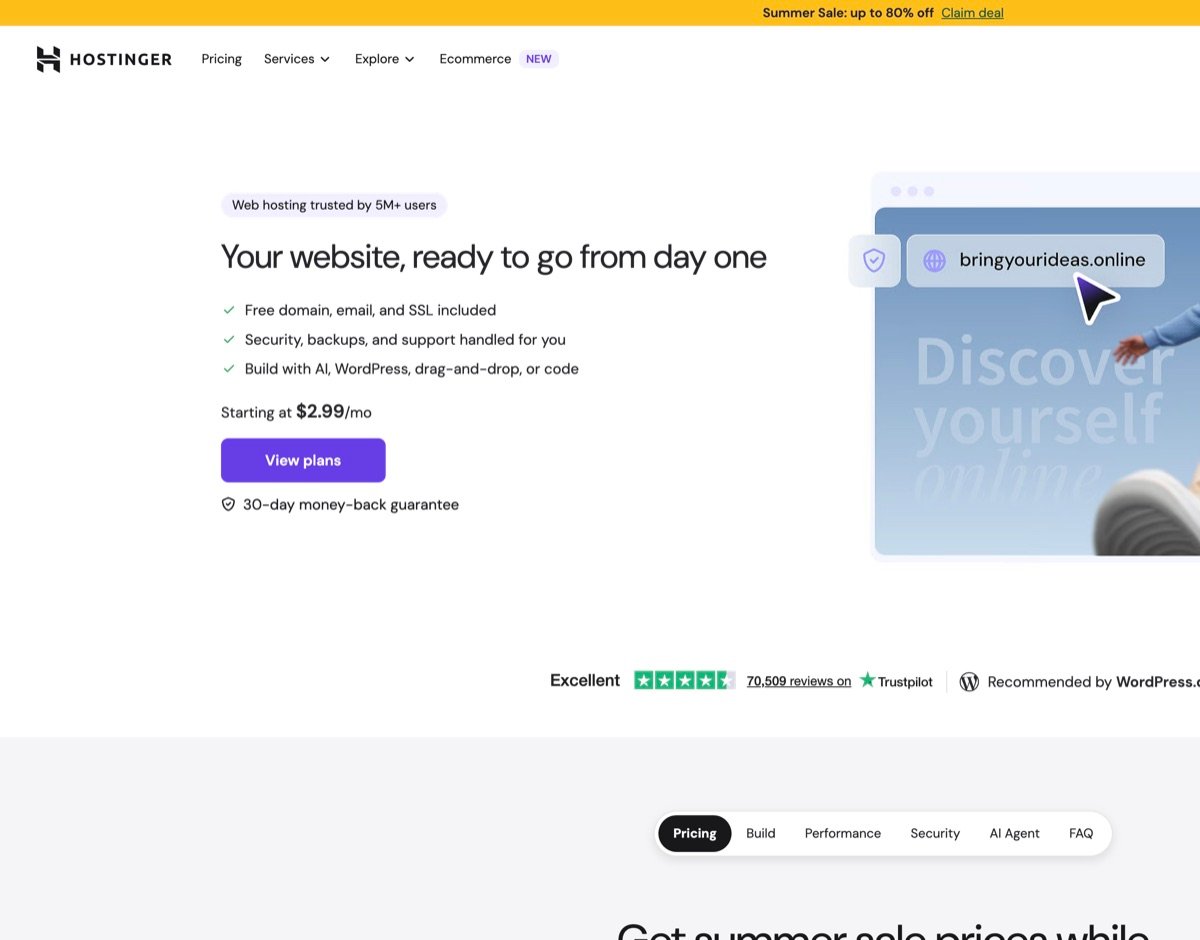
The screenshot below shows the exact screen you land on when you sign up.

Hostinger Plans and Pricing in 2026
Hostinger renamed its shared hosting tiers since our last review, if you have seen “Premium,” “Business,” or “Single Shared Hosting” mentioned elsewhere, that’s why. That said, here’s the current lineup:
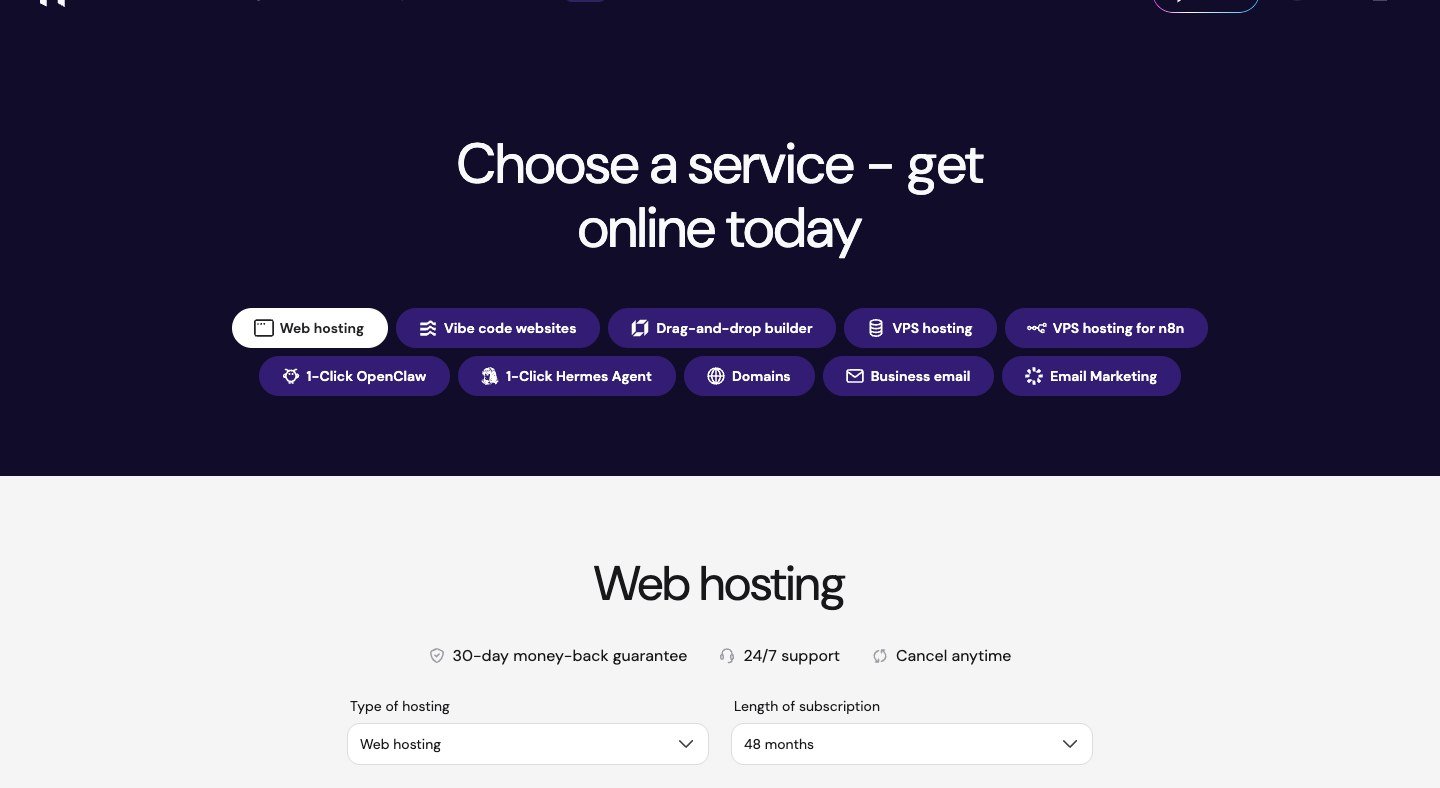
Here’s the full plans overview so you can see how Business compares to the tiers above and below it before you pick one.
Scroll down and select the Business plan. It’s the one with the best value for most first sites.
Apply your coupon code on the checkout page before you pay. This is where the discount actually lands.
Here’s the current lineup side by side, so you can see exactly what separates Premium from Unlimited before you commit to a plan:
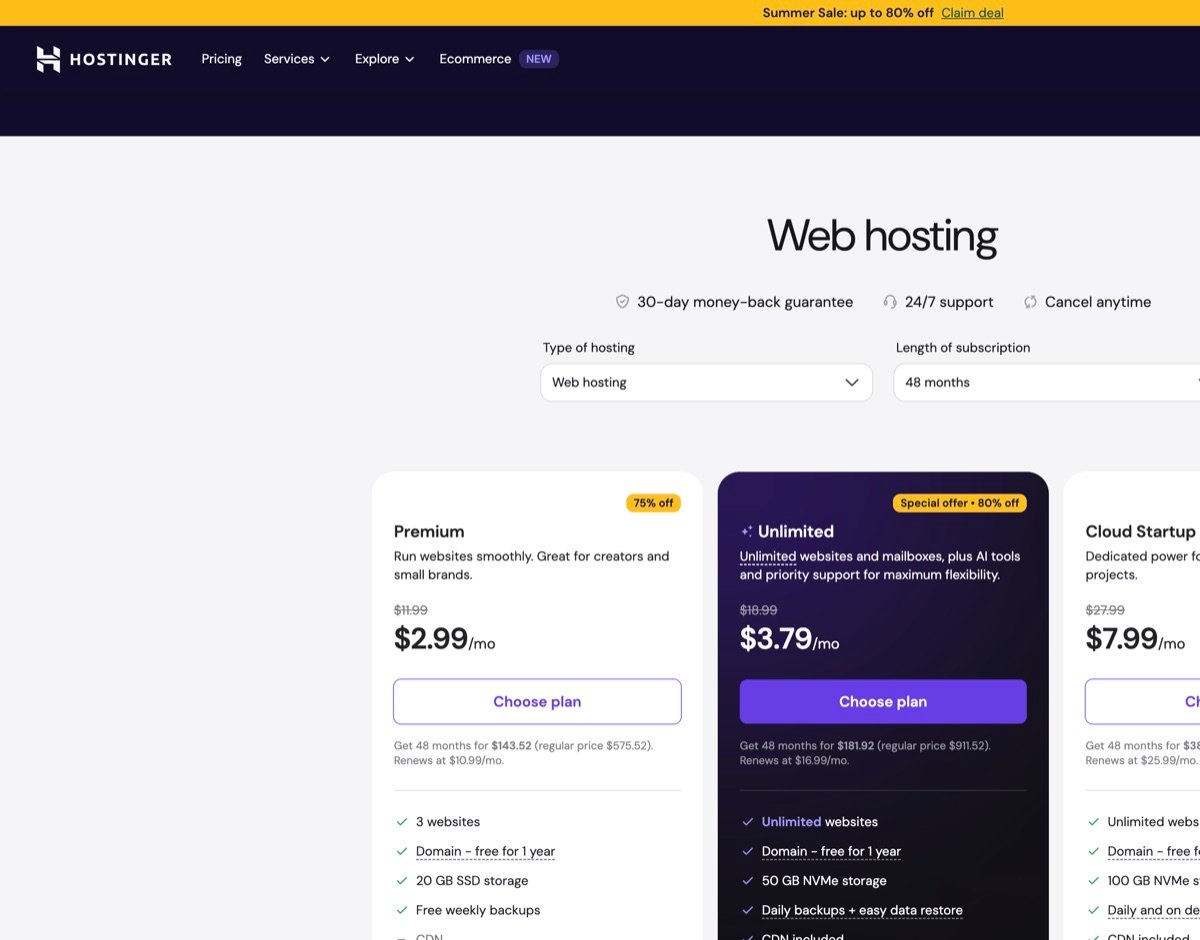
All three plans include a free domain for the first year, free SSL, a CDN, and Hostinger’s AI website tools (including their “vibe coding” credits for AI-assisted site generation). They’ve made massive strides with those AI tools, honestly, it’s gotten to the point where your grandma could build a working site with them. The jump from Premium to Unlimited is worth it for almost everyone: unlimited websites and mailboxes, daily backups instead of weekly, and more than double the storage, for less than a dollar more per month.
Read the renewal price before you buy. Every plan’s advertised rate only applies to the first 48-month term paid upfront. Renewal prices run 3-4x higher. Budget for the renewal rate, not the flashy intro number, or the jump will catch you off guard in year 5.
If that matches what you need, here’s the next step:
Is Hostinger Actually Fast?
Speed is the reason we keep recommending Hostinger over cheaper competitors. Every shared plan runs on LiteSpeed servers with built-in caching, which consistently beats standard Apache-based shared hosting in real load-time tests. Hostinger also publishes live uptime and response-time stats for every one of its data centers publicly, which is rare transparency for a budget host.
In practice, that means a fresh WordPress install on Hostinger often scores well on PageSpeed Insights before you even install a caching plugin. LiteSpeed Cache ships ready to use, so you aren’t starting from a cold, unoptimized stack the way you would on a generic cPanel host.
Hostinger backs this with a 99.9% uptime guarantee. If your site drops below that threshold due to an issue on their end, you can claim a credit back on your account. For the full playbook on making any WordPress site faster after you are hosted, see our WordPress speed optimization guide.
hPanel: Hostinger’s Dashboard
Hostinger built its own control panel, hPanel, instead of using the industry-standard cPanel most budget hosts default to. It is a genuinely easier interface for beginners: large icons, clear categories, and none of the dated, cluttered feel cPanel is known for. Setting up email accounts, running backups, managing domains, and installing WordPress all happen from clean, obvious menus instead of a maze of icons.
hPanel also surfaces AI onboarding, staging (on eligible plans), and file manager access in plain language menus. If you are migrating from cPanel, give yourself ten minutes to click through Websites, Domains, and Emails once, after that most day-two tasks are two-click jobs.
WordPress installs take one click from inside hPanel, and Hostinger’s AI setup can generate a starting site for you if you’d rather not begin from a blank template. You can also manage DNS, staging sites (on higher plans), and file manager access without leaving the same dashboard.
If you’ve used cPanel before, the first ten minutes on hPanel feel different, and that’s the point. Hostinger designed it for people who aren’t sysadmins. Once you know where WordPress, Domains, and Emails live, day-to-day hosting tasks stop feeling technical.
Security and Backups
Every plan includes a free SSL certificate, which is non-negotiable at this point. Google treats it as a ranking factor, and browsers actively warn visitors away from sites without one. Beyond that, Hostinger runs 24/7 server monitoring, DDoS protection, and malware scanning across every tier.
Backup frequency is the real differentiator between plans: Premium gets weekly backups, Unlimited and Cloud Startup step up to daily. If you update your site often, or you’re running any kind of store, the daily-backup plans are worth the extra dollar or two a month. Restoring from a backup that’s a week old after something breaks is a rough day.
Turn on two-factor authentication in hPanel the moment you sign up. It takes two minutes and it’s the single best thing you can do to keep your hosting account from getting compromised.
Support
Hostinger runs 24/7 live chat with no tier system. Every support rep is trained to handle any question rather than routing you through escalation levels. In our experience, chat responses come back in under a couple of minutes, and reps consistently link the relevant help-doc article rather than just a canned answer.
Live chat is the fastest path for billing or DNS questions; have your domain and plan tier ready so support can pull the right account panel immediately.
The knowledge base itself is also worth using before you open a chat. It’s well organized and covers most common setup and troubleshooting questions directly.
Hostinger vs. Other Budget Hosts
Hostinger isn’t the only cheap host worth considering, but it wins on both price and speed against the two names people usually compare it to.
| Our pick Hostinger | GoDaddy | Bluehost | Namecheap | |
|---|---|---|---|---|
| Overall rating | ||||
| Entry price | $2.99/mo | $5.99/mo | $3.99/mo | $1.98/mo |
| Renewal price | $10.99/mo | $11.99/mo | $9.99/mo | $3.88/mo |
| Control panel | hPanel | cPanel | cPanel | cPanel |
| Speed (LiteSpeed) | Yes, every plan | No | Varies | No |
| Best fit | Most new WordPress sites | Brand recognition buyers | Official WP.org recommend | Cheapest renewal seekers |
Swipe to compare more options. Hostinger stays pinned.
Namecheap and Bluehost win on renewal price. Hostinger wins on speed and dashboard usability. GoDaddy is the most expensive at both ends.
Namecheap and Bluehost both edge out Hostinger on renewal price, and Bluehost carries the extra advantage of being WordPress.org’s officially recommended host. But Hostinger’s LiteSpeed setup consistently wins on raw load-time in independent tests against both, and hPanel is a noticeably easier dashboard to actually use day to day. GoDaddy is the priciest of the group at both ends and rarely wins a head-to-head on performance.
Hosting WordPress on Hostinger
Hostinger is built to work well with WordPress specifically, not just tolerate it. Every shared plan includes one-click WordPress installation, automatic core updates, and LiteSpeed Cache pre-configured for WordPress out of the box, which is the biggest single factor in why WordPress sites on Hostinger tend to load fast without any manual tuning.
Once your domain’s registered, the WordPress install itself is a single click from hPanel, no separate database setup or FTP required.
If you’re running an online store, Hostinger’s WooCommerce-ready hosting handles the extra database load a store puts on a server better than a generic shared plan will. New to WordPress entirely? Start with our WordPress tutorial for beginners, it walks through the exact install process on Hostinger from a blank account.
Hostinger Review
Pros and Cons
Pros
- Genuinely fast shared hosting LiteSpeed + caching on every plan, not just the expensive tiers.
- hPanel is easier than cPanel Clear menus for WordPress, email, domains, and backups without the clutter.
- Free domain, SSL, and CDN Included on every plan for the first year (domain) and ongoing (SSL/CDN).
- 24/7 support that answers fast Live chat with no tier gates, usually back in a couple of minutes.
- AI tools + one-click WordPress Useful if you want a starting site without building from zero.
Cons
- Cheapest price needs 48 months upfront The flashy intro rate only applies if you commit to a long prepaid term.
- Renewal jumps 3-4x Budget for the renewal rate from day one, not just year one.
- No dedicated hosting tier If you outgrow cloud shared, you will eventually leave Hostinger for a VPS/dedicated host.
- Daily backups start at Unlimited Premium only gets weekly backups, which is thin if you publish often.
Who Should Use Hostinger?
If you’re building your first website, a blog, a small business site, or a portfolio, Hostinger’s Premium or Unlimited plan covers everything you need at one of the lowest real prices in the industry. If you’re running an online store or expect meaningful traffic from day one, go straight to Unlimited or Cloud Startup for the daily backups and extra resources.
Skip Hostinger if you already know you need dedicated or enterprise infrastructure, or if you want a host that never raises renewal prices (almost none do that at this tier). For everyone else starting out, the combination of LiteSpeed speed, hPanel, and intro pricing is hard to beat, as long as you budget for the renewal rate from day one.
Still deciding between builders after hosting? Our website builders comparison and Astra theme review cover the next layer of the WordPress stack we use on client sites.
Need help with the actual setup? Our WordPress tutorial for beginners walks through installing WordPress on Hostinger step by step, and our web hosting comparison shows how Hostinger stacks up against other hosts if you want the full picture before deciding. Once hosting is sorted, our how to create a website guide covers the rest of the build path.
What Renewal Pricing Really Means
Intro pricing on shared plans is marketing math: the host earns your trust in year one and expects you to stay when the renewal rate jumps. That’s not a scam if you read the checkout screen. Write down both numbers before you pay, and set a calendar reminder eleven months out to decide whether to renew, downgrade, or migrate.
Multi-year prepay deals can still be smart when you know the site will live that long. Divide total cost by months and compare to month-to-month elsewhere. Free domain bundles sweeten the deal until you try to move the domain; check WHOIS ownership and transfer locks up front.
If you’re shopping alternatives, our best web hosting services guide puts Hostinger next to WP Engine and Cloudways so you see where shared ends and managed begins. Most creators never need dedicated hardware until traffic justifies it.
Coupons and partner links should never cost you extra. They stack on the public promo when the host allows it. Apply the code at checkout, screenshot the invoice, and file it with your business expenses.
When renewal hits, run a quick performance check first. If load time has regressed, upgrade the plan tier or add caching before you blame the host, our WordPress performance guide walks through fixes that matter more than chasing the cheapest renewal quote.
Using hPanel Day to Day
hPanel is where you live after launch: Websites for your WordPress installs, Domains for DNS, Emails for forwarders and mailboxes, Files for emergencies, and Billing when renewals hit. Spend ten minutes clicking through each tab once so day-two tasks feel familiar instead of foreign.
Creating a new site from scratch is the same guided wizard every time: pick WordPress, choose a temporary subdomain, set your admin credentials, and wait for provisioning. That temporary URL lets you build while DNS propagates in the background, then you swap to your real domain once nameservers point correctly.
That’s the Business plan checkout: term length, the free domain line item, and the coupon field. This is the screen that actually decides your year-one cost, so double-check it before you confirm. If you only need a simple brochure site, compare Premium on this same flow before you pay.
And that’s the WordPress onboarding panel right after install, showing your temporary domain status and launch checklist inside wp-admin. Bookmark this view; domain changes and early setup steps live here.
Staying Out of Trouble Once You’re Live
Staging is available on eligible plans, use it before plugin experiments instead of testing changes on your live site. If something breaks anyway, restore yesterday’s backup from the panel rather than guessing which plugin conflicted.
The file manager is for emergencies only: upload a clean .htaccess, delete a rogue plugin folder when wp-admin white-screens, or grab error logs for a support ticket. Daily edits still belong inside WordPress, not FTP.
Support chat is fastest for billing and DNS questions. Have your domain name, plan tier, and a screenshot ready before you open a ticket. It moves things along a lot faster than describing “the blue button somewhere.”
Email accounts created in hPanel can forward to Gmail while you grow. Just copy the MX records under Domains exactly as the wizard shows them; a typo there silently kills contact form deliverability for days without any obvious error. Business email through Titan or Google Workspace pairs with domains bought at checkout if you’d rather not rely on personal Gmail once invoices and support threads need to come from your own domain.
Domain privacy hides your WHOIS listing from spam scrapers, but it does nothing for your brand with Google. Business sites still need a real, visible contact page for trust and local SEO regardless.
Pair hPanel with a simple theme and builder workflow from our Astra + Elementor path so you’re not fighting the dashboard and the editor at the same time. Once WordPress is live, hPanel should stay a rare visit rather than your primary workspace.
Horizons, Hostinger’s built-in AI site builder, can jump-start a layout, but WordPress plus Elementor still wins once you need real plugin freedom, treat any AI output as a wireframe to build on, not final copy.
Frequently Asked Questions
Is Hostinger good for beginners?
Yes. hPanel is one of the easiest control panels available, one-click WordPress installs, an AI site builder, and clear, uncluttered menus make it a strong choice if you’ve never managed hosting before.
How much does Hostinger actually cost?
The advertised rate ($2.99/mo for Premium) only applies if you pay for a 48-month term upfront. That plan renews at $10.99/mo after the first term. Budget for the renewal price, not just the headline number.
What's the difference between Hostinger's Premium and Unlimited plans?
Unlimited gets you unlimited websites and mailboxes (vs. 3 websites on Premium), daily backups instead of weekly, and more than double the storage (50GB NVMe vs. 20GB SSD), for less than a dollar more per month. For most people planning to grow past one small site, Unlimited is the better value.
Does Hostinger include a free domain?
Yes, every plan includes a free domain for the first year when you pay for an annual (or longer) term. It renews at the standard registration rate after that first year.
Is Hostinger better than GoDaddy or Bluehost?
On price and raw speed, yes, Hostinger consistently undercuts both while matching or beating their load times in independent tests. GoDaddy and Bluehost have more brand recognition and, in Bluehost’s case, official WordPress.org recommendation status, but Hostinger’s hPanel and pricing make it our pick for most new sites.
Hostinger earns its spot as our top hosting recommendation because it gets the fundamentals right: fast servers, an easy dashboard, real support, and pricing that undercuts almost everyone else in the category. Just go in knowing the renewal price, commit to the longest term you are comfortable with, and it is hard to find a better value for a first website.