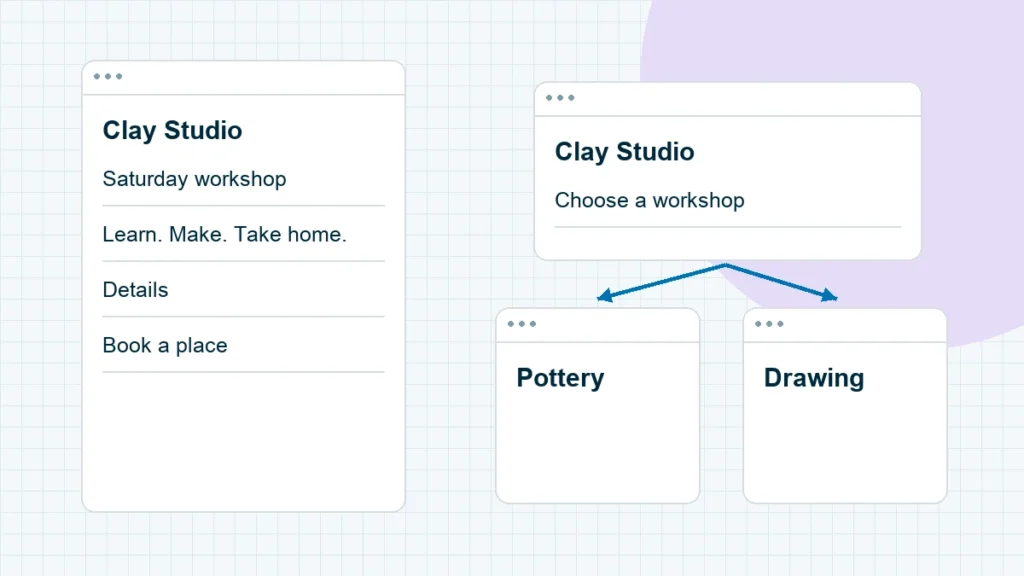
Choose a one-page website when you have one main offer, one audience, and a short path to the next step. Choose a multi-page website when visitors need different services, detailed examples, or separate answers before they contact you. Start with those needs before picking a template.
A short site can be enough. It can also become a very long page that makes everyone scroll past information meant for someone else. More pages solve that problem only when each page has something useful to do.
We’ll compare the two options using a workshop and a repair business. Both are fictional examples, so you can concentrate on the decisions without mistaking a mockup for a real company’s results.
What’s the difference between one page and multiple pages?
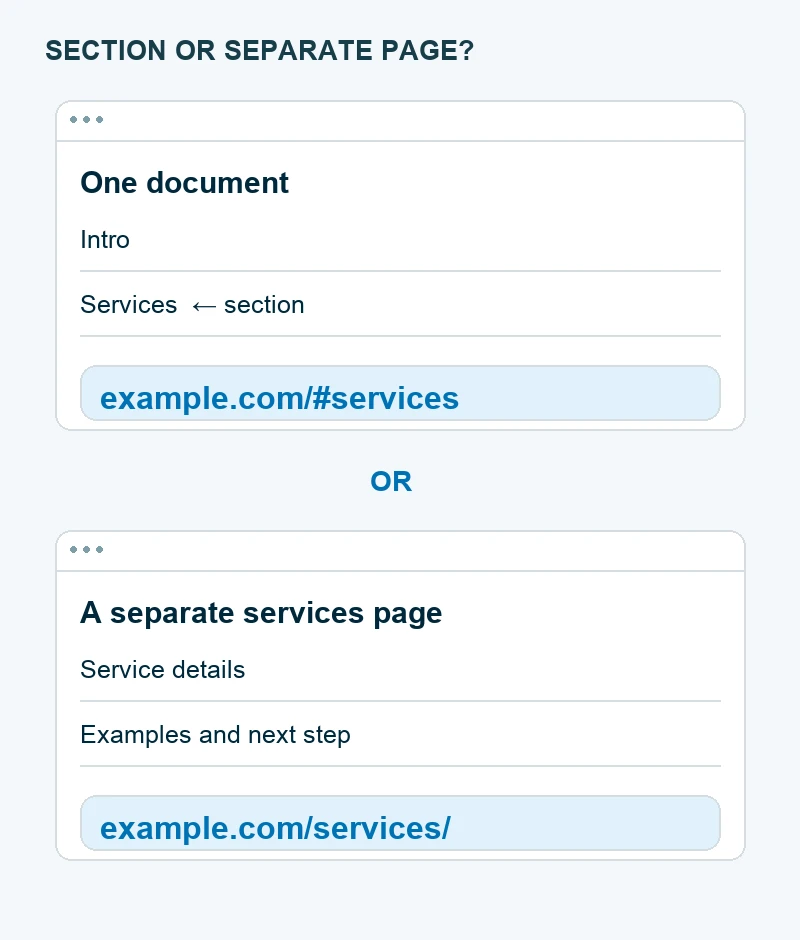
A one-page website puts its main marketing content in sections on one document. Its menu might jump to Services, About, and Contact farther down that page. A multi-page website gives those destinations separate pages with their own URLs.
For example, example.com/#services can point to a section of the homepage. example.com/services/ can open a separate services page. The similar labels hide an important difference: a section link moves within a document, while a page link opens another document.
MDN’s explanation of links covers both kinds of destination. WordPress calls links to sections page jumps. You don’t need to build either version yet; you just need to recognize what your navigation will open.
Also, a one-page marketing site is not the same decision as building a single-page application. Here, we’re choosing how much public content your visitor needs and how to organize access to it, rather than choosing an application architecture.
Compare the decisions you’ll live with
The useful comparison is about the visitor’s path. Neither option automatically makes a site faster, easier to use, or better at generating inquiries. A clear small site can work well; so can a thoughtfully organized larger one.
Use this table to identify the tradeoff that affects your project. If only one row is a real problem, solve that problem rather than rebuilding the whole plan around a generic “best” option.
| Decision | One page | Multiple pages |
|---|---|---|
| Main visitor task | One focused journey is easy to keep together. | Different journeys can have different starting pages. |
| Depth of information | Short answers fit within sections. | Detailed services or examples get more room. |
| Sharing a specific answer | Link directly to an anchored section. | Share the relevant page’s URL. |
| Ongoing changes | Main content lives together, but a long page can become cumbersome. | Update individual pages while maintaining shared navigation. |
| Growth | Add sections while the journey remains clear. | Add useful pages when distinct needs emerge. |
The table isn’t a scorecard. Four advantages in one column don’t cancel out the one requirement your business cannot do without. If a potential customer needs a detailed case example before making contact, give that example enough space.
When a one-page website is a good fit
A focused first version makes sense when the same information leads most visitors to the same action. Think of a weekend ceramics workshop: what you’ll make, who it’s for, where and when it happens, the price, and how to book.
That information can form a clear scrolling sequence. A visitor who arrives from a local event listing can read the essential details and reach the booking link without deciding among several services.
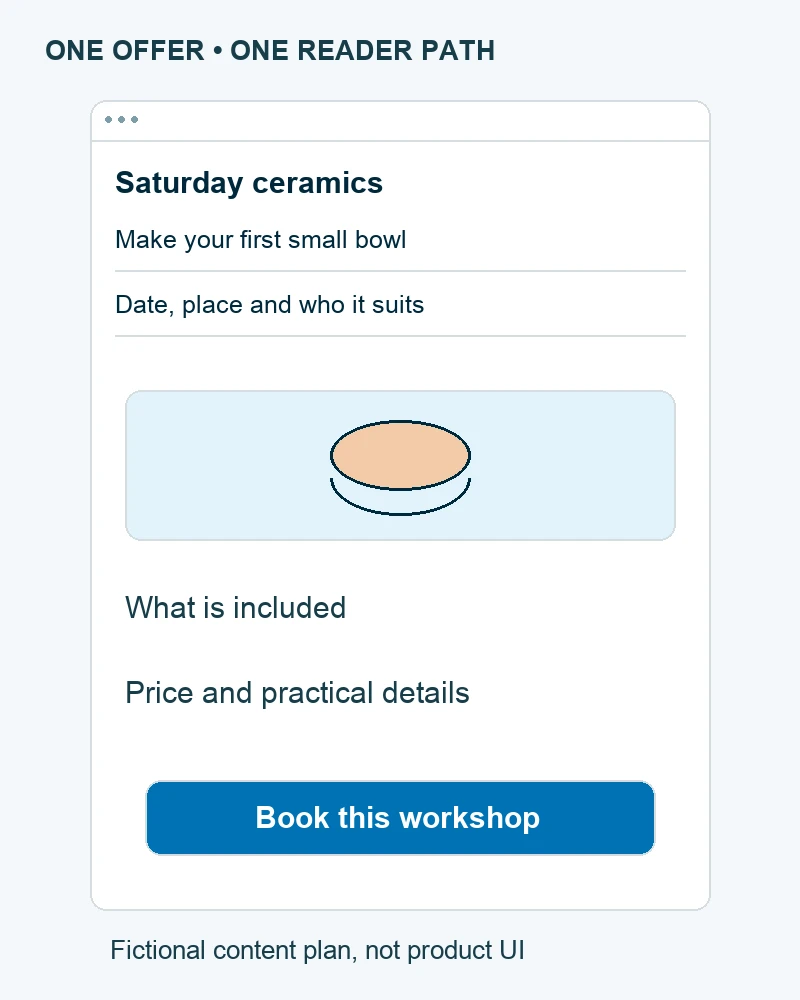
Notice what makes the example work: the content has a natural end. We haven’t added ten workshop descriptions, a shop, an instructor directory, and a library of tutorials. If those needs appear, the original scope has changed.
A “one-page site” can still have supporting pages. You don’t have to cram every policy or reference document into the main scrolling page just to preserve the label. The decision here concerns the main marketing journey, not a rule that your domain may contain only one URL.
Write the main action in one sentence before choosing a design: “After reading this page, the visitor can decide whether to book this workshop.” If you need several unrelated sentences, investigate separate pages.
The same focused approach can work for a simple portfolio or a single event, provided visitors can inspect enough evidence to decide. For different ways to arrange that evidence, use our website layout ideas. Layout is the next decision after you know what belongs on the page.
When several pages make the site easier to use
Choose multiple pages when visitors arrive with different needs and need different information to act. A fictional home-repair business might offer emergency leak repairs and planned bathroom renovations. Those customers are not asking the same questions.
The emergency customer wants to know the service area, how to contact the business, and what to do next. The renovation customer wants to inspect previous work, understand the project process, and describe the job. Putting both journeys on one giant page makes each person sort through the other person’s material.
A small multi-page plan could include a homepage, two service pages, selected work, and contact information. That is a starting proposal, not a required five-page package. If the business lacks useful project evidence, an empty gallery does not become valuable because a template includes one.
Give every proposed page enough substance
For each page, name the visitor’s question and the evidence needed to answer it. “Renovations” is a label. “Can this business handle a project like mine?” is a job that examples, process details, and clear next steps can address.
If two proposed pages would contain nearly identical copy with a different heading, combine them or rethink the distinction. More URLs create more places to maintain. They should earn that work by helping visitors.
Our business website guide walks through the build after you have that scope. You don’t need to choose a separate platform just because you move from one marketing page to several.
What changes for SEO and mobile visitors?
Separate useful pages give you separate destinations for distinct subjects. That can help you organize a site around the questions people actually search for, but it does not guarantee rankings. Creating thin pages solely to target slight keyword variations is a weak reason to expand.
A section anchor is useful navigation, but don’t treat #repair and #renovation as substitutes for separate crawlable pages when those topics require independent content. Google’s URL guidance warns against using fragments to change page content. That is different from ordinary jump links helping people move around a long page.
Test the journey on a phone
Page count alone tells you very little about the mobile experience. One page with large images, a complicated menu, and a buried contact link can be awkward. Several pages with clear navigation can work well, and the reverse is also possible.
On a phone, try the exact task you expect a visitor to complete. Find the workshop time. Inspect a relevant project. Reach the contact method. If you cannot do that comfortably, identify the navigation or content problem before blaming the site’s page count.
The mobile-friendly website guide helps you inspect and fix those problems. Keep the test tied to a real task; shrinking a desktop screenshot does not tell you whether a visitor can finish it.
Start small, with a clear reason to expand
You can launch a focused version and add pages later. The useful preparation is deciding what would justify that change, so you don’t keep adding sections until the homepage becomes a storage cupboard.
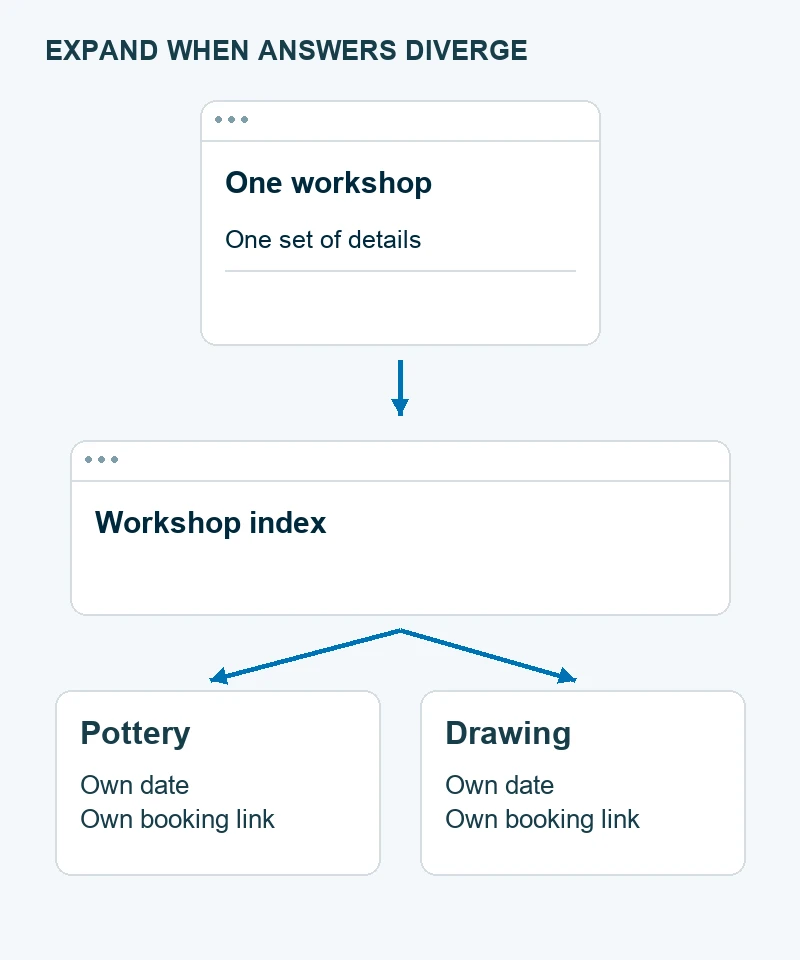
Return to the workshop example. One workshop can fit on one page. If the organizer starts running pottery, printmaking, and beginner drawing sessions with different dates and booking links, visitors may need individual workshop pages. The trigger is distinct information and actions, not an arbitrary number of months since launch.
Before expanding, list the links people already use and decide what will happen to them. Update your menus and internal links, and handle any changed URLs deliberately. Adding pages should not strand someone who saved a working link to the original information.
Fill in this small scope brief
Answer these questions in a document before opening your builder. A short, specific answer is enough; the goal is to expose missing decisions.
| Question | Your planning note |
|---|---|
| Who is arriving? | Name the primary visitor and what brought them here. |
| What must they decide? | Write the question the site needs to answer. |
| What evidence do they need? | List the actual details, examples, or proof you can provide. |
| What do they do next? | Name the contact, booking, purchase, or other action. |
| What would require another page? | Name a future offer or visitor need that would deserve its own answer. |
Read your answers together. One audience, one decision, and a compact set of evidence points toward a focused one-page start. Several distinct decisions with substantial supporting material point toward multiple pages. Once you’ve built that plan, use the website launch checklist to test the finished visitor journey.
Frequently Asked Questions
Can a one-page website appear in Google Search?
Yes. A single page can be indexed and appear in search. Its performance depends on factors beyond page count, including useful content and whether it answers the searcher’s need. No layout guarantees a ranking.
Is a one-page website the same as a landing page?
Not necessarily. A landing page usually serves a specific campaign or conversion goal. A one-page website describes the scope of the main site. A multi-page site can contain individual landing pages.
Can I add a blog to a one-page website?
Yes, if your platform supports it. The main marketing page can remain a scrolling page while articles have separate URLs. That means the whole site is no longer literally one page, which is fine.
Should I split every homepage section into its own page?
Only if the section has enough useful content and a distinct reader job to justify a separate destination. A brief introduction or contact detail does not automatically need a page of its own.