
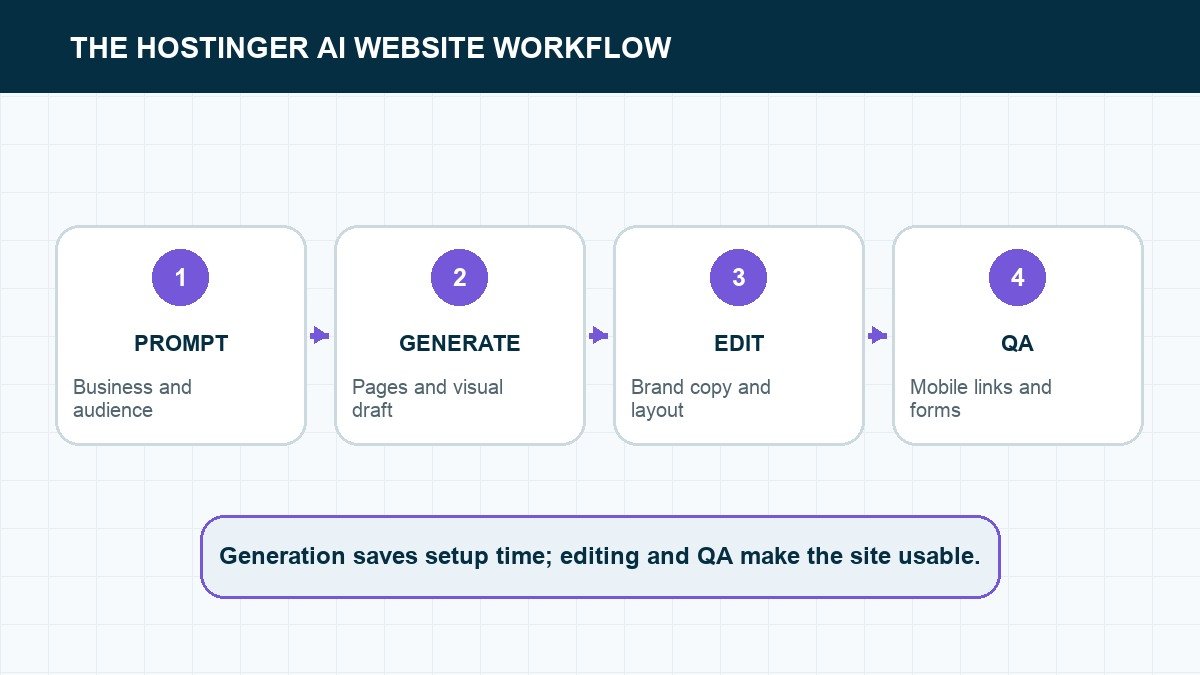
Hostinger’s AI website builder can give you a complete first draft from a short business description. The first draft is the easy part. Your real job is replacing generic content, tightening the layout, and proving that the site works on a phone before you click Go live.
Quick answer: Describe the business, audience, pages, visual style, and main action. Generate the site, edit one section at a time, replace every placeholder, connect the domain, and test forms, navigation, SEO fields, and mobile layouts.
The video below shows the complete Hostinger AI Website Builder path, including the edits that happen after the first generation.
Start with a prompt that describes the website
Hostinger’s first pass follows the brief it receives. Name the business, audience, pages, visual direction, and primary action before generating.
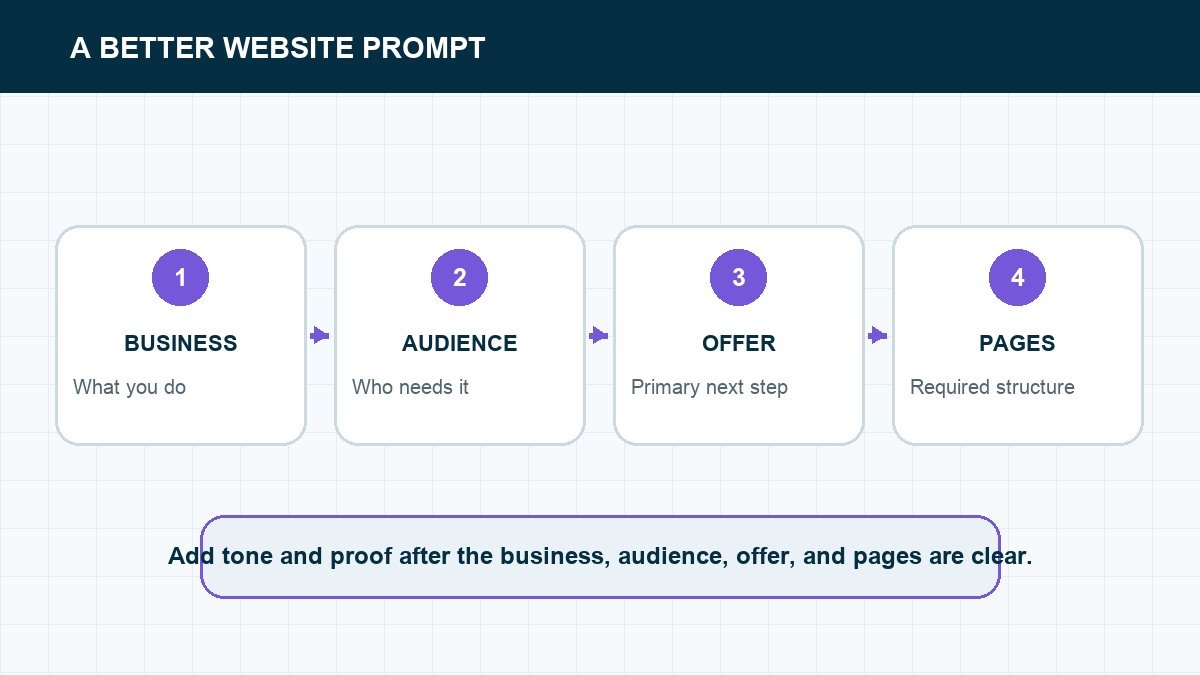
Write two to five sentences that answer five questions: Who is the site for? What does the business do? Which pages or sections matter? What should it look like? What should a visitor do next?
A useful prompt might ask for a clean service-business site with a strong hero, services, proof, about section, FAQ, contact form, and one clear call to action. That gives the builder structure without trying to dictate every pixel.
Choose the right Hostinger tool
| Tool | Best for | Editing style |
|---|---|---|
| Hostinger Website Builder | Business sites, portfolios, stores, and simple blogs | Visual sections and AI tools |
| Hostinger Horizons | Custom web apps and interactive tools | Natural-language building plus code/data controls |
| WordPress on Hostinger | Content-heavy or plugin-dependent sites | WordPress dashboard and themes |
The video uses the website-builder path. If you need logins, custom application logic, or a more complex backend, Horizons or a traditional development stack may fit better. If you need a large editorial site, WordPress deserves a look.
Generate the first version
The generated layout is a starting structure. Review the section order before spending time polishing colors and images.
Enter the business name, website type, description, and style preferences. The builder creates a starting layout and sample content. Treat everything as a proposal. Keep the sections that support the visitor’s decision and delete the ones that only make the page longer.
Review the hero first. A visitor should know what you offer, who it is for, and what to do next without scrolling. If the headline could describe ten competitors, rewrite it with a specific result or audience.
Edit one section at a time
Forms deserve their own pass. Remove fields you do not need, write the confirmation state, and send a real test submission.
Replace generated claims with real proof. Add your own services, process, testimonials, photos, contact details, and policies. Then adjust colors, typography, spacing, and button styles so the page feels consistent.
Use AI edits for broad changes and the visual editor for exact copy or image replacements. One focused request is easier to evaluate than five unrelated changes in one prompt.
Add the pages people expect
- Home: the offer, proof, and primary next step.
- About: why the business exists and why the visitor should trust it.
- Services or products: what is included, who it is for, and how to buy.
- Contact: a working form plus direct contact information.
- Privacy and terms: the policies appropriate for your location and data collection.
If you are still deciding which platform fits the project, our step-by-step website guide explains the broader path from domain to launch.
Run the pre-launch checks
Check the mobile page itself, not just the desktop preview squeezed into a narrow browser.
- Submit the form. Confirm the message reaches the intended inbox.
- Click every link. Check the header, footer, buttons, social icons, and legal pages.
- Use the mobile preview. Then test on a real phone.
- Check the page title and description. Every important page needs its own search snippet.
- Compress images. Large hero files make a simple site feel slow.
- Connect analytics. Make sure you can measure visits and conversions after launch.
The builder can create the layout. Only a real test can tell you whether the website is ready.
Replace the parts AI guesses
The generator does not know your real customers, policies, service area, credentials, or proof unless you provide them. Treat every factual claim as unverified until the business owner confirms it.
- Replace invented testimonials with approved customer reviews.
- Use real services, prices, locations, hours, and contact details.
- Remove placeholder team members and stock portraits that imply real staff.
- Write a privacy policy and terms that fit the actual business and region.
- Connect forms to a monitored inbox and send a real test submission.
Generic copy is usually easiest to spot in the headline and service descriptions. Say who the business helps, what it does, where it operates, and what the visitor should do next. Specific beats clever.
Set up the domain, SEO, and analytics
Before publishing, connect the final domain, confirm HTTPS, and choose one preferred version of the address. Add a unique page title and description for every important page, descriptive image text, a useful social-share image, and readable URLs.
Connect analytics and search tools only after deciding who owns those accounts. The business should retain access to the domain, website subscription, analytics property, and any email service. Keep recovery details outside the builder account so one lost login does not lock up the entire operation.
Know when to choose another platform
Hostinger Website Builder is a practical fit for a straightforward business site, portfolio, landing page, or small store whose owner values simplicity. WordPress is usually a better fit when content publishing, plugins, custom data, or migration flexibility drives the project. A custom code workflow makes more sense when the site needs unusual interactions or must live in a development pipeline.
Choose based on the next two years of ownership, not the speed of the first draft. Rebuilding later costs more than spending an extra hour on the platform decision now.
If you want to compare the managed-builder route first, use our guide to the best website builders before choosing a Hostinger plan.
Give the generator facts it cannot guess
Before editing the design, replace every business fact. That includes the legal business name, service area, phone number, hours, pricing language, guarantees, credentials, team biographies, policies, and form destination. A website builder can propose structure and draft placeholder copy. It cannot verify that the business serves a city, holds a license, offers 24-hour support, or has earned a testimonial.
Collect those facts in one source sheet before the build. Mark every claim as approved, needs proof, or placeholder. Keep the source URL or owner beside regulated claims and statistics. This turns the factual review into a checklist instead of a scavenger hunt through email after the site already looks finished.
Use our website launch guide for the domain, page, and publishing decisions that sit outside the generator.
Use the editor to create a small design system
Set the site-wide colors, heading styles, body type, button treatment, spacing, and image shape before tweaking individual sections. Then reuse those rules. If every section gets a different border radius, shadow, and button color, the page will look generated even when each piece looks fine by itself.
Choose one primary button style and one secondary style. Use a consistent maximum width for text. Keep similar cards the same height when the content allows it. Crop images to a defined family of aspect ratios. Our professional website design guide gives you the visual checks to run when the builder’s defaults are not enough.
Do not decorate weak content. If a section cannot explain what the business does, who it helps, or why the visitor should trust it, fix the message before adding animation. Movement should clarify state or draw attention to the next action. It should not be the reason the page feels finished.
Test the complete visitor path
Start from an incognito window on a phone. Load the production URL, dismiss any consent notice, use the menu, read the hero, follow the primary button, submit the form, and confirm what happens next. Repeat the path on desktop. Check the browser title, favicon, social-share image, and the page that appears after submission.
Then test the owner path. Log in, edit a headline, replace an image, review a form entry, and restore the previous version. Confirm who owns the Hostinger account, domain, billing method, email inbox, analytics property, and recovery contact. A one-click builder is only simple while those responsibilities are clear.
Know when the builder is no longer the simple option
Hostinger AI is a good fit for a focused brochure site that needs managed hosting and a visual editor. Reconsider the stack when the project needs complex content relationships, custom user permissions, unusual checkout behavior, a large plugin ecosystem, or a handoff into an existing WordPress operation. Switching after launch is more expensive than choosing the maintenance model before the build.
If WordPress is the likely destination, compare the managed-hosting decision in our Hostinger versus Bluehost guide before committing the production site to a builder plan.
Plan the maintenance before you publish
Write down who owns monthly edits, form checks, domain renewals, analytics review, image updates, and support requests. Hostinger manages the underlying platform, but it does not decide whether the offer is current, the contact details are accurate, or a form lead reached the right person. Put a calendar reminder beside the tasks that still belong to the business.
Keep a launch copy of the important pages and a record of the settings that cannot be reconstructed from the public site. Record the connected domain, email sender, analytics ID, form destination, consent settings, and any custom code. Give access through named user accounts where the platform allows it instead of sharing one login.
Review the site after the first real traffic arrives. Look for unanswered form submissions, phone-width layout problems, pages visitors leave immediately, and questions the copy did not answer. Make one evidence-based change at a time. The builder makes editing easy; the operating discipline keeps the website useful.
Schedule a quarterly content check even when the design does not change. Confirm offers, prices, team details, policies, and contact information. Re-run the mobile visitor path and form test. A small managed site becomes unreliable through stale facts long before the builder itself fails.
Frequently asked questions
Frequently Asked Questions
Can I try Hostinger AI for free?
Hostinger offers trial experiences for some builder products, but publishing and usage limits depend on the current plan. Check the plan screen before building the final project around a trial.
Can Hostinger AI build an online store?
The website builder supports online-store projects. Confirm the payment, shipping, tax, and product limits for your market before committing.
Can I move the site later?
Platform builders are easiest to maintain inside their own system. If portability and full code ownership are critical, compare WordPress or an exportable development workflow before launch.
A generated site still needs an owner
Hostinger AI makes the first hour much easier. It does not know which claims are true, which leads matter, or whether a form reaches your inbox. Give the builder a clear brief, then take responsibility for the details visitors actually experience.