
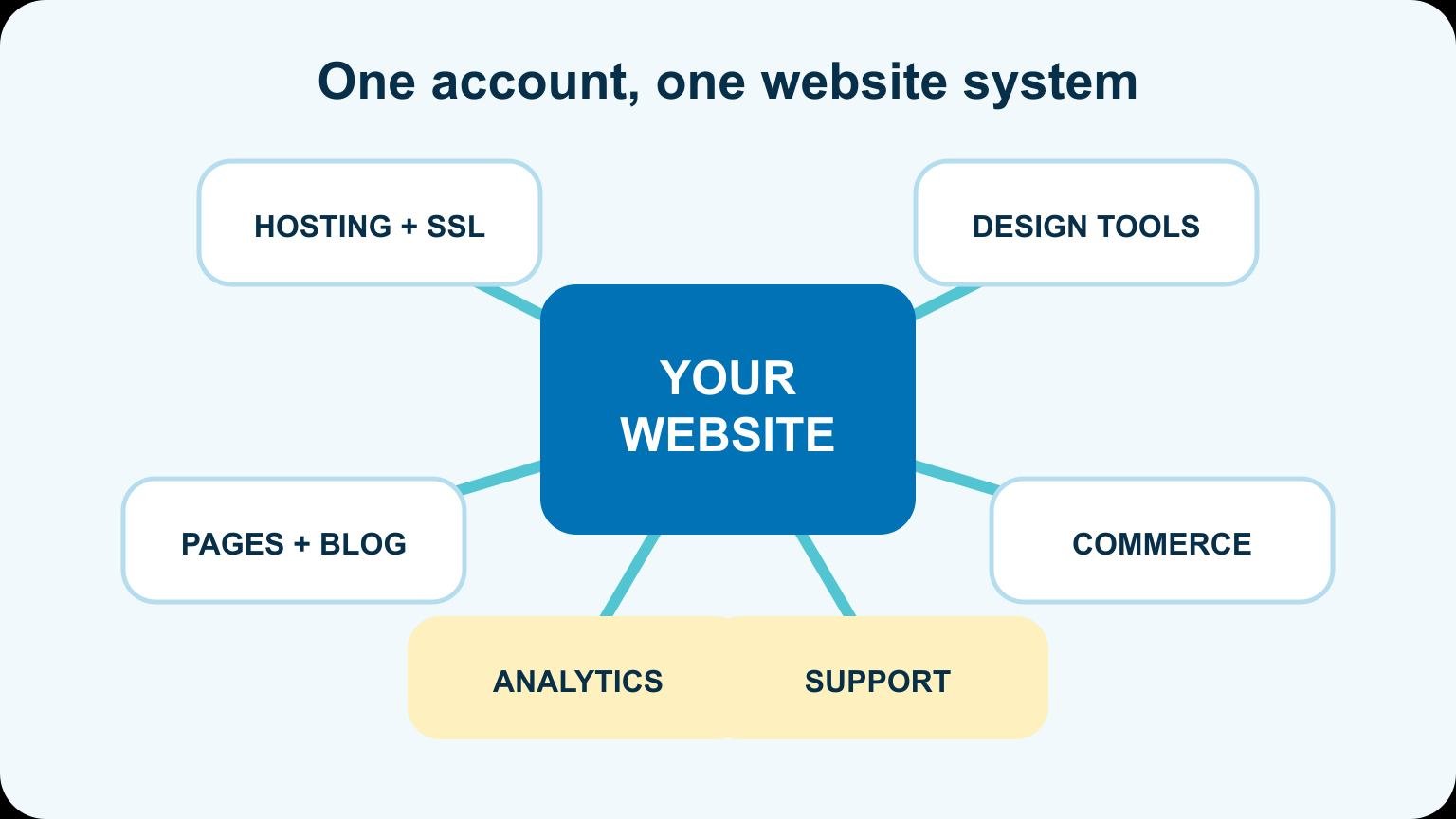
Squarespace is an all-in-one website platform that combines hosting, design templates, a visual editor, domains, ecommerce, analytics, and support in one account. You build and manage the site in a browser instead of installing software on separate hosting.
Quick answer: Squarespace is best for people who want a polished business site, portfolio, blog, or small store without managing plugins and server updates. WordPress offers more flexibility; Squarespace offers a more controlled system.
How Squarespace works
You choose a starting design, add pages and sections, replace the sample content, connect a domain, and publish. Squarespace hosts the website and updates the underlying platform. Your subscription controls the features available to the site.
| Part | What Squarespace provides | What you manage |
|---|---|---|
| Hosting | Servers, SSL, platform updates | Subscription and domain settings |
| Design | Templates, sections, style controls | Layout, branding, copy, and images |
| Content | Pages, blog, galleries, forms | What you publish and organize |
| Commerce | Products, checkout, orders, integrations | Catalog, payments, tax, shipping, policies |
That all-in-one setup is the main appeal. You do not need to compare hosts, install a theme, or keep a stack of plugins compatible.
What can you build with Squarespace?
- Business website: services, proof, about, contact, and lead forms.
- Portfolio: project galleries, case studies, photography, and video.
- Blog: posts, categories, authors, and email signup paths.
- Online store: physical or digital products, checkout, inventory, and orders.
- Appointment site: services and scheduling through supported tools.
- Membership or course experience: gated content using available plan features and integrations.
You can see the actual building process in our Squarespace tutorial. This guide focuses on the platform decision; the tutorial handles the clicks.
What Squarespace includes
Squarespace plans bundle the visual builder and hosting. Depending on the current plan, you may also have ecommerce, analytics, email-campaign options, scheduling, memberships, and other business tools. Features and transaction fees change, so verify the plan comparison before purchasing.
You will still need your own content, images, domain decision, legal pages, and marketing strategy. An all-in-one platform removes software assembly. It does not decide what the website should say.
Squarespace advantages
- Fast setup: hosting and builder are already connected.
- Consistent design system: global styles keep fonts, colors, and spacing under control.
- Lower technical maintenance: no separate plugin-update routine.
- One support path: the platform owns the core system.
- Strong portfolio presentation: image-led layouts are easy to assemble.
For a founder who wants to update a five-page site without thinking about hosting architecture, those advantages are substantial.
Squarespace limitations
The same controlled system that makes Squarespace easy also sets boundaries. You cannot replace every underlying component, install any plugin you find, or move the site to another host like a normal WordPress installation. Advanced custom behavior may require code, an integration, or a different platform.
Large editorial operations, unusual databases, complex memberships, and deeply custom ecommerce often need a system with more extensibility. Do not choose a platform based only on how quickly the homepage demo comes together.
Squarespace vs WordPress
| Question | Squarespace | WordPress.org |
|---|---|---|
| Who hosts it? | Squarespace | You choose a host |
| How do features expand? | Built-in tools and supported integrations | Themes, plugins, and custom code |
| Who handles platform updates? | Squarespace | You, your host, or a maintenance provider |
| How portable is it? | Limited export for supported content | Full site can move between hosts |
| Best fit | Simpler ownership and polished design | Flexibility and long-term customization |
If you already know you need advanced plugins or full hosting control, WordPress is the clearer route. If that sentence makes you tired, Squarespace may be doing its job.
How much does Squarespace cost?
Squarespace is subscription software. The total depends on the plan, billing term, domain, ecommerce needs, scheduling, email marketing, and any third-party services. Check the current pricing page rather than relying on an old screenshot or a blog post with a year in the title.
Compare the whole stack. A WordPress site may have separate hosting, theme, plugin, backup, and maintenance costs. Squarespace combines more of those items into one subscription but may charge more as you add commerce or marketing features.
Who should use Squarespace?
Squarespace is a strong fit for a consultant, local service, creator, photographer, restaurant, or small shop that wants a polished site and a controlled editing experience. It is less attractive when the website is a custom software product or depends on a very specific plugin ecosystem.
Before committing, write the five features the site must have in two years, not only at launch. Test those features during the trial.
What you still need to provide
Squarespace supplies the platform, not the business strategy. You still need a clear offer, useful copy, original images, proof, legal policies, domain ownership, and a plan for bringing visitors to the site.
- Structure: decide the pages and the action each page should drive.
- Brand: choose consistent type, color, imagery, and voice rather than accepting every template default.
- Content: write for the customer’s questions, not for empty sections in a demo.
- Operations: connect forms, payments, scheduling, email, analytics, and staff access.
- QA: test navigation, mobile layouts, checkout, forms, and search visibility before launch.
What happens if you leave Squarespace?
You keep your domain if it is registered to you and can export certain kinds of content, but the finished template design does not transfer to another platform. Products, member features, scheduling, custom layouts, and third-party integrations may require separate migration work.
Keep original copies of your writing and media outside the platform. Use an email address the business controls for the account, record billing and domain details, and give every team member their own login where the plan allows it. Those small ownership decisions make a later redesign much easier.
A simple first-site plan
Start with the smallest complete site: home, about, one page for each primary service or offer, contact, and required policy pages. Add a portfolio, store, blog, scheduling, or member area only when it supports the business goal.
Choose a template for its structure, not its demo photography. Replace the content, set global styles, review every page on a phone, connect the domain, and submit the sitemap after launch. A short, specific site is stronger than a large template filled with generic sections.
Compare the broader market in our website builder guide before you commit to a yearly subscription.
Frequently asked questions
Frequently Asked Questions
Is Squarespace a website host?
Yes. Hosting is part of the platform, so you do not buy a separate hosting plan for a normal Squarespace site.
Do I need coding?
No for a standard site. Code can extend some designs, but the main editor is visual.
Is Squarespace good for SEO?
It provides the core controls needed for titles, descriptions, URLs, indexing, sitemaps, and image text. Rankings still depend on useful content, site structure, authority, and competition.
Can I move from Squarespace to WordPress?
You can export some supported content, but the exact design and every feature will not transfer automatically. Plan for a rebuild of the visual system.
Choose the system you want to own
Squarespace is not simply a page builder. It is the hosting, editing, design, and business-tool environment around the website. Choose it when that integrated system removes work you do not want. Choose a more flexible platform when the boundaries would block the site you need to build.