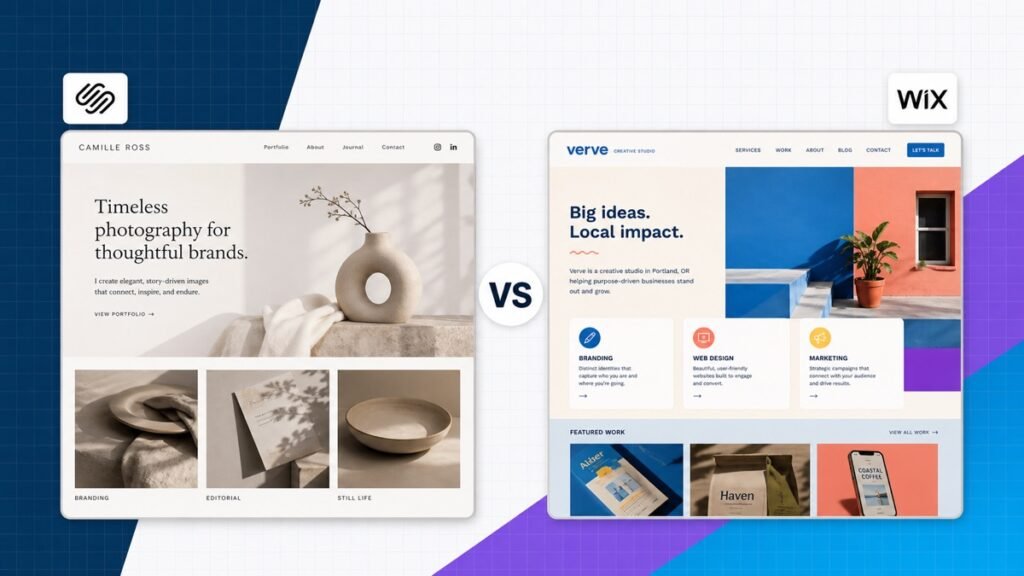
Squarespace and Wix are two of the best all-in-one website builders, and the choice is closer than most platform rankings make it sound. Both include hosting, visual editing, templates, security, analytics, and business features. You can build a professional site without touching code on either one.
My quick recommendation: choose Squarespace when you want a polished site with a cohesive visual system. Choose Wix when you want more layout freedom, more apps, or a broader collection of built-in business tools.
The decision is not really about which builder has the longest feature list. It is about which editing system helps you produce and maintain the kind of site your business needs.
Squarespace vs Wix at a glance
| Design pick Squarespace | Wix | |
|---|---|---|
| Best for | Design-led sites with a clean system | Maximum beginner flexibility and built-in tools |
| Free option | Free trial | Free site available |
| Editor | Structured visual editor | Flexible drag-and-drop canvas |
| Templates | More consistently polished | More variety |
| Apps and features | Focused ecosystem | Broader app ecosystem |
| Blogging | Excellent built in | Good built in |
| Ecommerce | Strong for curated stores | Strong for more business types |
| My recommendation | Choose for design consistency | Choose for flexibility and business tools |
Swipe to compare more options. Squarespace stays pinned.
Squarespace is my pick for a polished portfolio, service site, or content-led brand. Wix is the better fit when you want more layout freedom, apps, bookings, or a free starting point.
The simplest decision: Squarespace is a design system that keeps the site cohesive. Wix is a flexible toolbox that lets you shape the site around more kinds of businesses.
The biggest difference is creative freedom
Squarespace uses a structured section-based editor. You add a section, choose a layout, place content on a grid, and adjust the design through a controlled set of site styles. You can still create custom arrangements, but the system keeps spacing and alignment connected to the rest of the site.
Wix gives you a looser canvas. You can drag elements into precise positions, layer them, and create more unconventional layouts. That freedom is powerful when you know what you want. It also makes it easier for a beginner to create inconsistent spacing or a desktop design that needs extra attention on mobile.
Neither approach is universally better. Structure accelerates good design. Freedom helps when the design or business workflow does not fit a standard pattern.
What Squarespace editing feels like
Squarespace is strongest when you want the site to feel like one system. Global fonts, color palettes, buttons, spacing, and section treatments can be changed without rebuilding every page. The font controls below show how the design settings stay connected to the site.
Section color themes work the same way. Instead of selecting a random color for every element, you can apply coordinated color roles that keep text readable and the brand consistent.
What Wix editing feels like
Wix is built around direct manipulation. You can start from a template, use its guided setup, or build more freely in the editor. The platform also connects the website to tools for appointments, events, restaurants, memberships, courses, forms, automations, and marketing.

Mobile check: whichever builder you choose, review every important page at phone width before launch. Visual freedom does not replace responsive quality control.
Templates and design quality
Squarespace has the more consistently polished template library. The designs lean on strong typography, editorial image layouts, generous spacing, and clear content hierarchy. That makes Squarespace especially good for portfolios, photographers, restaurants, consultants, creators, and design-led service brands.
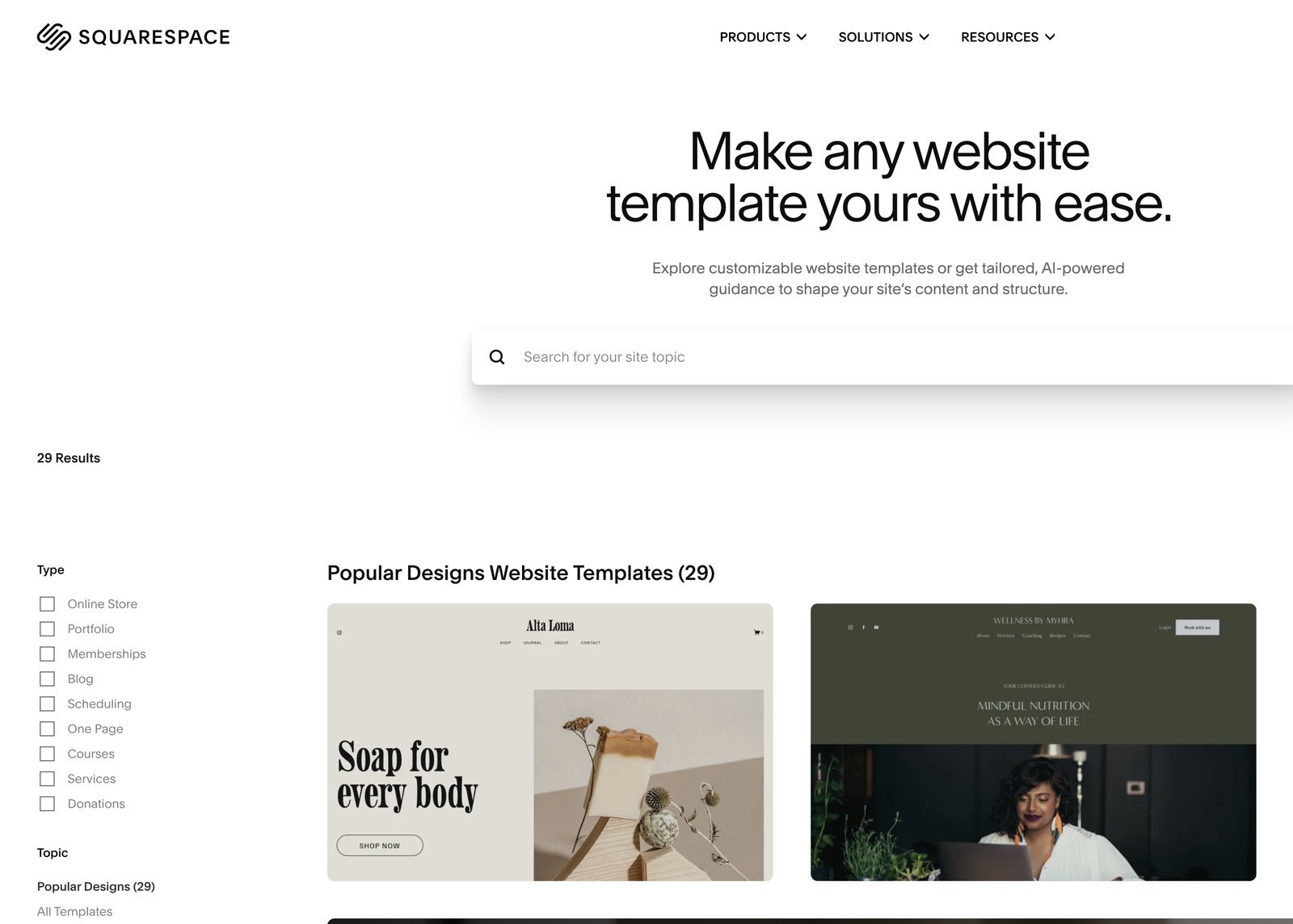
Wix offers more variety. You are more likely to find a starting point tied to a specific industry or business model. The tradeoff is that quality varies more, and a highly customized template can take longer to simplify than a cleaner starting point.
Do not choose a template because its demo business resembles yours. Choose it because the page structure fits your content: the right type of hero, enough room for proof, reusable service or project sections, and a clear path to the main call to action.
Features, apps, and business tools
Wix has the broader ecosystem. Its built-in tools and app market cover appointments, restaurants, ticketed events, online programs, memberships, hotels, forms, live chat, automations, and ecommerce. If your website needs to run a specific operational workflow, Wix is more likely to have a first-party tool or integrated app for it.
Squarespace keeps the ecosystem more focused. Commerce, scheduling, email campaigns, digital products, courses, memberships, and donations can all fit into the platform, but the overall menu of extensions is smaller. That can be a strength when you value simplicity more than unlimited options.
Feature count is not the goal. Every app adds another setting, subscription, and possible point of failure. Start with the business outcome, then add the smallest tool that accomplishes it.
Blogging, SEO, and content
Both platforms can run a useful business blog. Squarespace has a particularly natural editorial feel, with categories, tags, authors, excerpts, featured images, scheduling, and polished post layouts. Wix also supports categories, authors, scheduling, search settings, and dynamic content.
For SEO, both let you control the basic on-page elements and generate the technical foundation a small or medium site needs. The larger difference is workflow. Choose the platform where you can organize topics, link related pages, update old articles, and publish consistently.
If content will become the center of the business, read our guide on how to start a blog before committing. WordPress adds more setup, but it offers deeper publishing control and portability for a large content library.
Ecommerce and selling online
Squarespace Commerce is a strong fit for visually curated catalogs, digital products, subscriptions, courses, and service brands that sell alongside their main website. Product pages inherit the same typography and design discipline as the rest of the site.
Wix is often a better match when the business needs more than a standard catalog. Its ecosystem connects stores with bookings, events, restaurants, memberships, and other operational features. That breadth is useful for businesses whose website is also a scheduling or customer-management tool.
Before choosing, list the exact payment methods, product variants, tax rules, shipping needs, subscriptions, appointment types, and integrations you require. A platform can be excellent at ecommerce and still be wrong for one unusual business requirement.
Pricing and the real cost
Wix lets you create and publish a free Wix-branded site. A paid plan is needed for a custom domain and to remove platform branding. Squarespace offers a free trial rather than a permanent free plan, and its paid plans include managed hosting.
The correct comparison is the annual cost of the finished system. Include the website plan, domain renewal, email, scheduling, ecommerce, email marketing, paid apps, and any transaction fees that apply. Promotional entry prices can make two plans look much farther apart than their long-term cost.
I would not select between these platforms over a small monthly difference. The cost of rebuilding a site, changing a business process, or fighting the wrong editor is much higher than choosing the plan that fits properly.
Pros and cons
The balanced verdict
Squarespace vs Wix
Where Squarespace wins
- Design consistency Its templates, spacing, typography, and section controls make it difficult to create a visually chaotic site.
- Focused editing experience The builder gives you useful flexibility without putting every possible option in front of you.
- Strong portfolio and blogging tools Projects, galleries, articles, newsletters, and member content fit naturally into the platform.
- Clean all-in-one setup Hosting, security, templates, analytics, and support are managed in one account.
Where Wix wins
- More layout freedom Wix gives you a looser visual canvas and more control over exactly where elements sit.
- More built-in business tools Bookings, restaurants, events, memberships, and other business features have deep Wix integrations.
- A larger app ecosystem The Wix App Market offers more ways to extend a site without leaving the platform.
- A free starting point You can build and publish a Wix-branded site before committing to a paid plan.
Who should choose Squarespace?
- A portfolio, photography, design, architecture, or creative-service business.
- A consultant or small business that wants a polished site without managing plugins.
- A creator publishing articles, newsletters, digital products, or courses.
- A brand that values design consistency more than an enormous app catalog.
If that sounds like your site, start with the content and page structure before styling. A strong home page, clear services, proof, an about page, and one primary call to action will matter more than small visual effects.
Who should choose Wix?
- A business that needs bookings, events, restaurant tools, memberships, or other specialized features.
- A beginner who wants to explore and publish before buying a plan.
- A site owner who wants more drag-and-drop positioning freedom.
- A business that expects to use several Wix apps and automations in one account.
For a broader view, compare both platforms on our website builder comparison page. It separates the decision by site type instead of treating one builder as the answer for everyone.
Frequently asked questions
Frequently Asked Questions
Is Squarespace or Wix better for beginners?
Wix is slightly easier if you want the platform to guide you from an idea to a working business site, while Squarespace is easier if you want a smaller set of polished design choices. Both remove hosting and software maintenance from the beginner’s to-do list.
Is Squarespace or Wix better for SEO?
Both cover the fundamentals: editable titles and descriptions, mobile-ready templates, sitemaps, redirects, image alt text, and search integrations. The better SEO platform is usually the one you can publish useful content on consistently. For a very large content operation, also compare both with WordPress.
Which is better for a portfolio?
I usually choose Squarespace for a portfolio because its templates, gallery layouts, project pages, typography, and spacing create a strong visual baseline. Use our portfolio website guide to plan the pages and project stories before choosing a template.
Which is better for a small business?
Wix has the edge for businesses that need appointments, events, restaurant tools, or a large selection of apps. Squarespace is excellent for consultants, studios, photographers, and service brands that need a beautiful site, clear offers, forms, and simple scheduling. Our business website guide explains the structure either site needs.
Can I sell products with Squarespace and Wix?
Yes. Both support products, payments, inventory, discounts, shipping, and digital goods on eligible plans. Squarespace is especially natural for a curated brand store. Wix supports a wider collection of business tools. If the store is the entire business, compare them with the dedicated options in our online store guide.
Does either platform include hosting?
Yes. Hosting, platform updates, and service-level security are included with both. You do not buy a separate shared hosting account. A custom domain and advanced business features require the appropriate paid plan.
Can I switch from Wix to Squarespace later?
You can move your domain and transfer portions of your content, but the finished design will need to be rebuilt. The editors, templates, and app systems are proprietary. Keep original copies of your writing, images, product data, contacts, and domain credentials.
Which one is cheaper?
Compare the complete annual plan that supports your actual needs. A low entry price is not meaningful if you also need ecommerce, bookings, email campaigns, extra collaborators, or a custom domain. Annual billing can change the effective monthly price, and promotional offers can change.
Conclusion: Squarespace for cohesion, Wix for flexibility
Squarespace and Wix can both build an excellent website. Squarespace gets my recommendation for a portfolio, design-led service site, or content brand because its editing system creates a more consistently polished result. Wix gets the recommendation when the business needs more layout freedom, a free starting point, or a wider collection of operational tools.
Choose the platform that reduces friction for the work you will repeat: adding projects, publishing articles, managing appointments, updating products, or creating landing pages. That is the difference you will still feel after the excitement of the first build is gone.