
OpenClaw is a genuinely good idea: a personal AI assistant that lives on your own machine and talks to you through WhatsApp, Telegram, Discord, or whatever app you already have open. But it's not the only option, and it's not the right fit for everyone. If you want something simpler to set up, something built around your documents instead of your messaging apps, or something that doesn't ask you to run a server around the clock, one of the six tools below is probably a better match.
This guide explains what each option does, who it is built for, and where its narrower focus may beat OpenClaw. Product capabilities were checked against each project's current official site or documentation, and the comparison table uses the same privacy, setup, messaging, and licensing criteria for every tool.
Quick Answer
Choose the replacement by job: private document chat, local code execution, messaging, or a fully hosted assistant. The closest feature list is less important than the access, maintenance, and approval model.
The best OpenClaw alternatives depend on the job you need an AI assistant to do:
- Want your own private ChatGPT that reads your documents? Use AnythingLLM.
- Want an AI assistant that knows your notes and can reach you on WhatsApp? Use Khoj.
- Want an agent that writes and runs code on your machine? Use Open Interpreter.
- Want the simplest possible local chat app, zero configuration? Use Jan.
- Want a framework to build and run your own custom agents? Use SuperAGI.
- Don't want to maintain a local model server? Use Claude Code, a locally installed terminal client that sends model requests to Anthropic while running approved tools on your machine.
Read on for the specifics on each: what they're good at, what they're missing, and how to decide.
What OpenClaw Does (Quick Recap)
OpenClaw becomes more useful as reusable skills are added, but every skill also expands what the system can reach. That permission surface—not the size of the feature list—is the baseline to compare.
Before comparing alternatives, it helps to be specific about what you're replacing. OpenClaw is a local-first personal AI assistant, created by Peter Steinberger, that runs on your own hardware and answers you through the channels you already use: WhatsApp, Telegram, Slack, Discord, Signal, and more than 20 others. It has persistent memory, can browse the web and fill out forms, reads and writes files, executes shell commands in a sandbox, and can even extend its own skills through conversation. It's MIT licensed, free to self-host, and works with Claude, GPT models, or local models like MiniMax.
That's a lot of capability bolted into one project, and it's exactly why some people bounce off it. A tool that does everything (messaging, memory, browser control, shell access, scheduled automation) also asks a lot of you to set up and trust. You need somewhere to run it continuously, API access to at least one model provider unless you're running fully local, and a comfort level with giving an AI shell access to your machine. None of that is a dealbreaker. It's just more commitment than a lot of people are looking for on day one, which is exactly why there's a real market for smaller, more focused tools.
Note: Already using OpenClaw and just here for prompt ideas? Check out our OpenClaw prompts page instead. This article is for people still deciding whether OpenClaw is the right tool at all.
What to Look For in an OpenClaw Alternative
We checked the current positioning and access model on the official sites for AnythingLLM, Khoj, Open Interpreter, Jan, SuperAGI, and Claude Code. Treat those first-party pages as the update source for capabilities, licensing, supported channels, and availability.
OpenClaw maintains its current channel list in the official channel documentation; use that page instead of a fixed integration count when comparing reach.
Before you pick a tool, decide what matters to you. Every option below trades off differently on these four things:
- Local vs. cloud. A fully local configuration can keep data and conversations on your machine; connecting a hosted model or external integration sends the relevant data to that provider. Local software gives you more control but also makes you responsible for keeping it running and updated.
- Channel reach vs. depth. OpenClaw's whole pitch is meeting you on 20-plus messaging apps at once. Most alternatives pick one lane instead, whether that's documents, code, or plain chat, and go deep on that one thing rather than spreading across every app you own.
- Setup effort. Some of these run with one install command and a desktop app icon. Others expect you to configure a gateway, connect API keys by hand, and keep a persistent background process alive.
- The job it serves. A document-search assistant and a code-execution agent get lumped together as “AI agents” in marketing copy, but they solve completely different problems. Know which problem you have before you compare feature lists.
With those four in mind, here's how six real tools stack up, starting with the one built for people who really just want to talk to their own files.
1. AnythingLLM: Best for a Private ChatGPT That Knows Your Documents
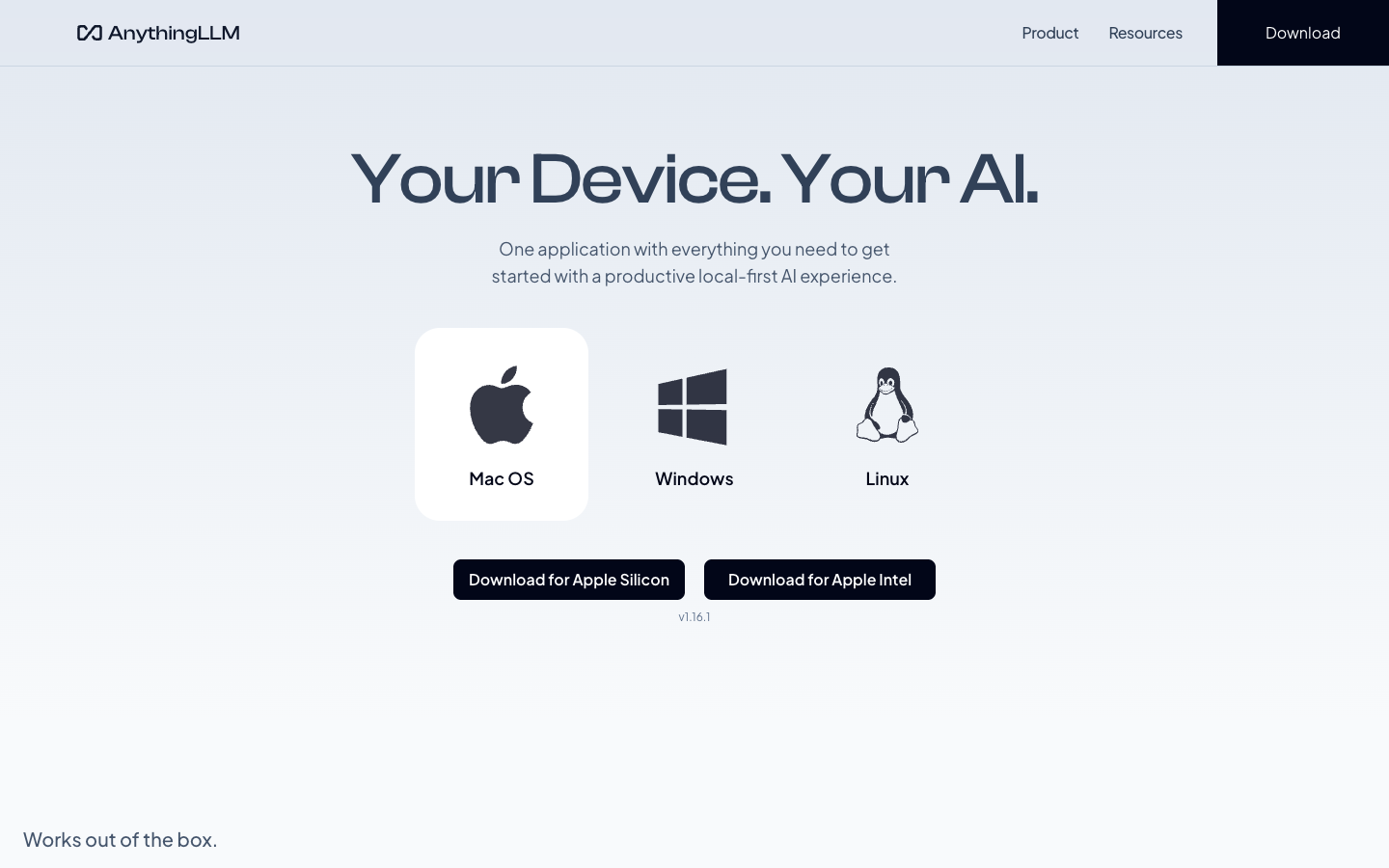
AnythingLLM's own pitch is blunt: “Stop renting your intelligence. Own it.” It's an all-in-one AI application built around chatting with your own documents (PDFs, Word files, plain text) instead of chatting with the open internet through a bot that forgets everything the moment the session ends.
It runs locally by default with what the project calls zero setup friction, and it works with local models through Ollama or LM Studio as well as every major closed-source provider. Beyond document chat, it includes built-in AI agents, multi-user support, and a full vector database under the hood, all configurable without touching a command line. It's MIT licensed and available as a desktop app on Mac, Windows, and Linux, a Docker container, a browser extension, and even an embeddable widget for your own website.
The tradeoff compared with OpenClaw: AnythingLLM isn't trying to meet you on WhatsApp or Telegram. It's a standalone application, not a messaging-channel bot. If your real goal was always “I want to talk to my files,” that narrower focus is a feature, not a limitation, and the multi-user support makes it a genuinely good fit for a small team that wants shared access to the same document knowledge base.
Pro tip: If you just want to try the idea before committing to anything, AnythingLLM's desktop app is the fastest path in this whole list. Download it, open it, point it at a folder of documents, and you're chatting with them in minutes, no server or terminal required.
2. Khoj: Best for a Personal Assistant That Reaches You on WhatsApp
Of everything on this list, Khoj is the closest philosophical match to OpenClaw. It describes itself as a personal AI app built to extend your capabilities, an “AI second brain” that chats with local or online models and pulls answers from both the internet and your own documents.
Khoj indexes PDFs, Markdown, Notion pages, Word docs, and Emacs org-mode files for semantic search, lets you build custom agents with their own knowledge and personas, and adds extras like image generation, text-to-speech, and automated newsletters or smart notifications. It's reachable through your browser, Obsidian, Emacs, desktop apps, mobile, and notably, WhatsApp.
It's self-hostable and explicitly described by the project as “open-source, self-hostable. Always.” You can also run it as a hosted cloud app at app.khoj.dev if you'd rather not manage a server yourself. The license is AGPL-3.0, which is copyleft. That's worth knowing if you ever plan to modify and redistribute it commercially, though it rarely matters for personal use.
Compared with OpenClaw: Khoj's channel reach is real but narrower. WhatsApp is supported, but you don't get the broader messaging-channel spread OpenClaw offers. In exchange, you get a tool built from day one around personal knowledge management rather than general-purpose automation, which shows in how well it handles your own notes and files compared to a general messaging bot.
3. Open Interpreter: Best for an Agent That Writes and Runs Code
Open Interpreter takes a different angle entirely. It's a coding agent, optimized to work well even with cheaper, less powerful language models. It lets you run commands in a sandboxed environment, switch between AI providers and models from a terminal interface, and even test web and native applications through natural-language instructions.
It keeps its config and session state local, tucked under a folder on your own machine, which holds onto the same privacy-first spirit as OpenClaw without the messaging-app layer on top. It's Apache-2.0 licensed and has built serious traction: an active developer community for developers who want an AI agent that can touch their filesystem and execute real commands, not just describe what to do next.
Choose it over OpenClaw when you need a developer tool first. There's no built-in WhatsApp or Telegram bridge, and it isn't designed for a non-technical person trying to manage their calendar and inbox. If your real use case for OpenClaw was “I want an AI that can run scripts and manage files for me,” Open Interpreter does that specific job with a sharper focus and a much smaller footprint.
4. Jan: Best for the Simplest Local Setup
Jan positions itself plainly as an alternative to ChatGPT that runs one hundred percent offline on your computer. You download and run open models (Llama, Gemma, Qwen, and others) pulled straight from Hugging Face, with everything staying local when you want it to. It also offers optional cloud integration with OpenAI and Anthropic if you'd rather mix local and hosted models depending on the task.
Under the hood, Jan runs an OpenAI-compatible API on your own machine, which means other apps and scripts you build can talk to it exactly the way they'd talk to OpenAI's API, just pointed at your own computer instead of a data center. It's Apache 2.0 licensed and built primarily in TypeScript and Rust, with an interface that stays out of your way.
Its limit compared with OpenClaw: Jan doesn't do messaging-channel integration, browser automation, or shell execution. It's a clean, minimal chat interface for running models locally, full stop. If OpenClaw felt like more infrastructure than you wanted, Jan is the deliberately smaller version of the same “keep it on my own machine” idea, without the extra moving parts.
5. SuperAGI: Best for Building Your Own Custom Agents
SuperAGI is a framework, not a finished app. It's built for developers who want to create, manage, and run their own autonomous AI agents rather than use someone else's pre-built one. It supports spawning multiple concurrent agents, extending what they can do through a toolkit marketplace (Twitter, GitHub, Jira, email, and more), and monitoring their performance and memory over time.
You can self-host it locally through Docker or run it through a hosted cloud version at app.superagi.com. It's MIT licensed, is maintained as an open-source project. The project itself is upfront that it may still have rough edges, which is a fair warning worth taking seriously before you build anything production-critical on top of it.
The practical difference: SuperAGI's channel and messaging support is thinner and more task-automation-focused than real-time chat. This is the right pick if you want to build something custom on top of an agent framework and don't mind the configuration work that comes with it. It's the wrong pick if you just want a working assistant out of the box today.
6. Claude Code: Best If You Don't Want to Self-Host Anything
Most alternatives above ask you to maintain a model, server, Docker container, or persistent process. If that is the exact part of OpenClaw you do not want, Claude Code takes a different route: it is a locally installed terminal agent, but it uses Anthropic's hosted models, so there is no self-hosted model server to keep running. The trade-off is that model requests go to the provider instead of staying entirely on your machine.
This is not a knock on the self-hosted tools. It is a real trade-off, and for many people, avoiding a local model server and its uptime, updates, and hardware requirements is worth more than keeping every model request local. If your priority is a capable coding agent instead of a self-hosted assistant, Claude Code removes most of that infrastructure work while still running its client in your terminal.
OpenClaw Alternatives Compared
The fastest way to narrow this list is to start with the job you need the assistant to do.
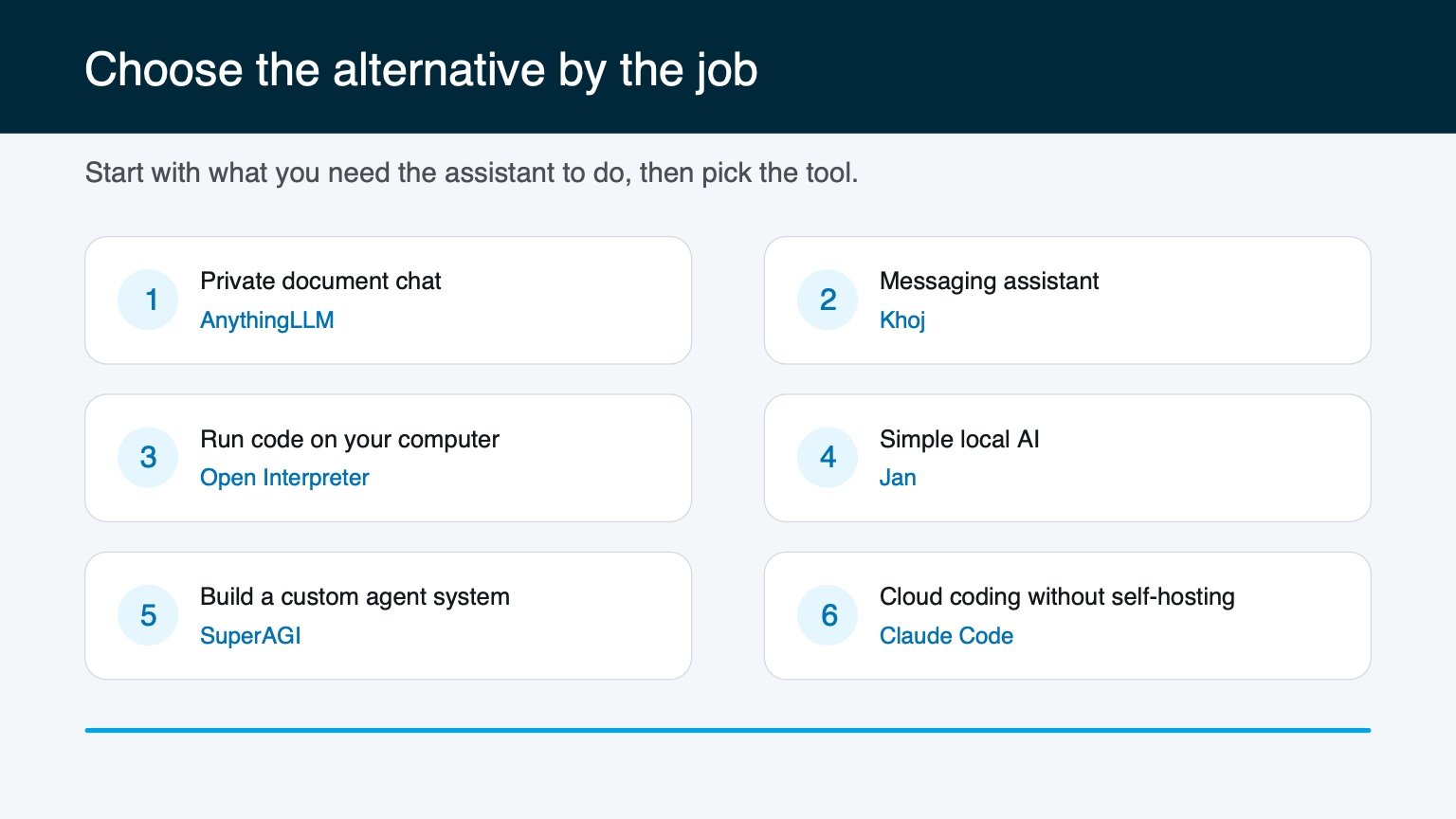
Use that choice as your shortlist, then compare privacy, setup work, messaging support, and licensing below.
| Tool | Best for | Local-first? | Messaging channels | License |
|---|---|---|---|---|
| AnythingLLM | Chatting with your own documents | Yes | No (standalone app) | MIT |
| Khoj | Personal AI second brain | Yes | AGPL-3.0 | |
| Open Interpreter | Writing and running code | Yes | No | Apache-2.0 |
| Jan | Simplest offline local chat | Yes | No | Apache 2.0 |
| SuperAGI | Building custom agents | Optional (or cloud) | Limited (toolkit-based) | MIT |
| Claude Code | No local model server to maintain | Hybrid: local client, hosted models | No | Proprietary |
| OpenClaw (for reference) | All-in-one messaging assistant | Yes | Many messaging apps | MIT |
How to Choose
Test the hardest real workflow before migrating. A quick demo does not expose permission failures, recovery work, or the maintenance burden, so make the finalist complete one end-to-end task before moving your files or automations.
Skip the feature-matrix paralysis and answer one question first: what were you trying to do when you went looking for OpenClaw alternatives in the first place? Almost everyone lands here for one of six reasons, and each one points to a different tool.
- “I want to ask questions about my own files and notes.” Go with AnythingLLM or Khoj. Both are built around personal knowledge, not general automation.
- “I want an AI to write and execute code on my computer.” Go with Open Interpreter. It's the sharpest tool here for that specific job.
- “I just want a local ChatGPT replacement, nothing fancy.” Go with Jan. It's the lowest-friction option on this list.
- “I want to build something custom.” Go with SuperAGI, and set aside real time to configure it properly.
- “I don't want to maintain a local model server.” Go with Claude Code. The terminal client and approved tool execution run locally, while model requests go to Anthropic.
- “I wanted the messaging-app reach and the all-in-one scope.” That's OpenClaw's whole reason for existing. None of these six fully replace it if that specific combination is what you need.
That last point matters more than it looks. This isn't a “6 tools better than OpenClaw” list. It's a “6 tools that do one piece of what OpenClaw does, often better, if that one piece is all you needed” list. Be honest with yourself about which piece that is before you install anything, and you'll save yourself an afternoon of setup on the wrong tool.
For the baseline you are comparing against, use our OpenClaw setup tutorial. The OpenClaw use-case guide shows which jobs genuinely benefit from an agent instead of a fixed automation.
Frequently Asked Questions
Frequently Asked Questions
Is there a free OpenClaw alternative?
Yes. Every tool in this list except Claude Code is free and open source, including AnythingLLM, Khoj, Open Interpreter, Jan, and SuperAGI. All five are MIT, Apache 2.0, or AGPL-3.0 licensed, meaning you can self-host them at no cost beyond your own hardware and electricity. OpenClaw itself is also free and MIT licensed, for comparison, though you'll still pay for API usage if you connect it to a hosted model instead of running everything locally.
What is the closest alternative to OpenClaw?
Khoj is the closest match philosophically. It's self-hostable, local-first, builds on your personal knowledge, and reaches you on WhatsApp. It doesn't match OpenClaw's full broader messaging-channel spread, but it's built around the same “personal AI assistant, not just a chatbot” idea, and it's the one tool on this list that overlaps OpenClaw on both fronts: personal knowledge and messaging-app reach.
Do I need to know how to code to use any of these?
No, for most of them. AnythingLLM, Khoj, and Jan all ship as desktop apps or Docker containers you can run without writing a line of code. Open Interpreter and SuperAGI lean more technical. Open Interpreter is built for developers by design, and SuperAGI expects you to configure agents and toolkits yourself, so budget more setup time if you go that route.
Can any of these connect to WhatsApp or Telegram like OpenClaw?
Khoj is the only one on this list with WhatsApp support out of the box. None of the others include native messaging-channel integration; they're built as standalone apps instead. If reaching your assistant through WhatsApp or Telegram is a hard requirement for you, that narrows your real options down to Khoj or OpenClaw itself.
Is self-hosting an AI assistant actually safe?
Self-hosting gives you control over the application and stored data, but it does not guarantee that nothing leaves your machine. Prompts still go to a provider whenever you connect a hosted model or external integration. For the most private setup, use a local model, disable cloud integrations, keep the software updated, and sandbox any tool that can execute code or shell commands.
Which OpenClaw alternative is best for beginners?
Jan or AnythingLLM. Both install as a normal desktop app with a graphical interface, so there are no terminal commands required to get started and no gateway to configure. If you want zero setup and don't need messaging-channel integration, start with one of those two before touching anything more technical like Open Interpreter or SuperAGI.