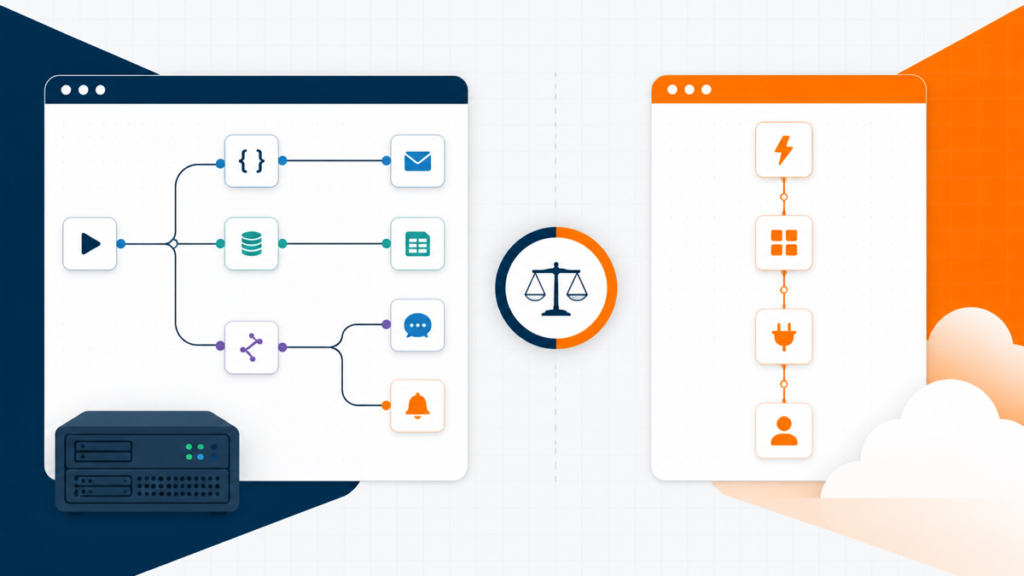
Choose Zapier if you want the quickest no-code setup and the widest ready-made app coverage. Choose n8n if you want deeper workflow control, a self-hosted option, or long multi-step automations that fit execution-based billing better. The right choice comes down to who will maintain the workflow, which apps it must connect, and how usage grows.
Both tools can build serious automations. Zapier is no longer limited to one trigger and one simple action; it supports multi-step Zaps, Paths, webhooks, code, tables, forms, and AI tools. n8n also has a managed Cloud version, so choosing n8n does not automatically mean running your own server. The useful comparison is convenience versus control, not beginner toy versus developer tool.
Quick answer: Start with Zapier for a common business workflow. Choose n8n when custom logic, self-hosting, or long multi-step runs create a specific advantage you can name.
If both tools support the workflow, the next question is who will own it. That answer makes the at-a-glance comparison much more useful.
n8n vs Zapier at a glance
| Best starting point Zapier | n8n | |
|---|---|---|
| Best for | Fast no-code business automation | Technical teams and flexible workflows |
| Starting experience | Faster for beginners | More technical |
| Hosting | Managed by Zapier | n8n Cloud or self-hosted |
| Usage unit | Successful action tasks | Complete workflow executions |
| Ready-made integrations | 9,000+ apps | Built-in nodes plus APIs |
| Custom logic | Strong, with platform limits | Excellent |
| Who maintains it | Business or operations team | Technical operator or builder |
| My default pick | Most first business automations | Complex or self-hosted systems |
Swipe to compare more options. Zapier stays pinned.
Zapier is the safer default for a beginner. n8n wins when its added control solves a real requirement rather than a hypothetical future one.
Do not choose from this table alone. First check whether both platforms support the oddest app or authentication method in your workflow. Gmail and Slack rarely expose the real limitation. The accounting system, internal API, or unusual webhook usually does.
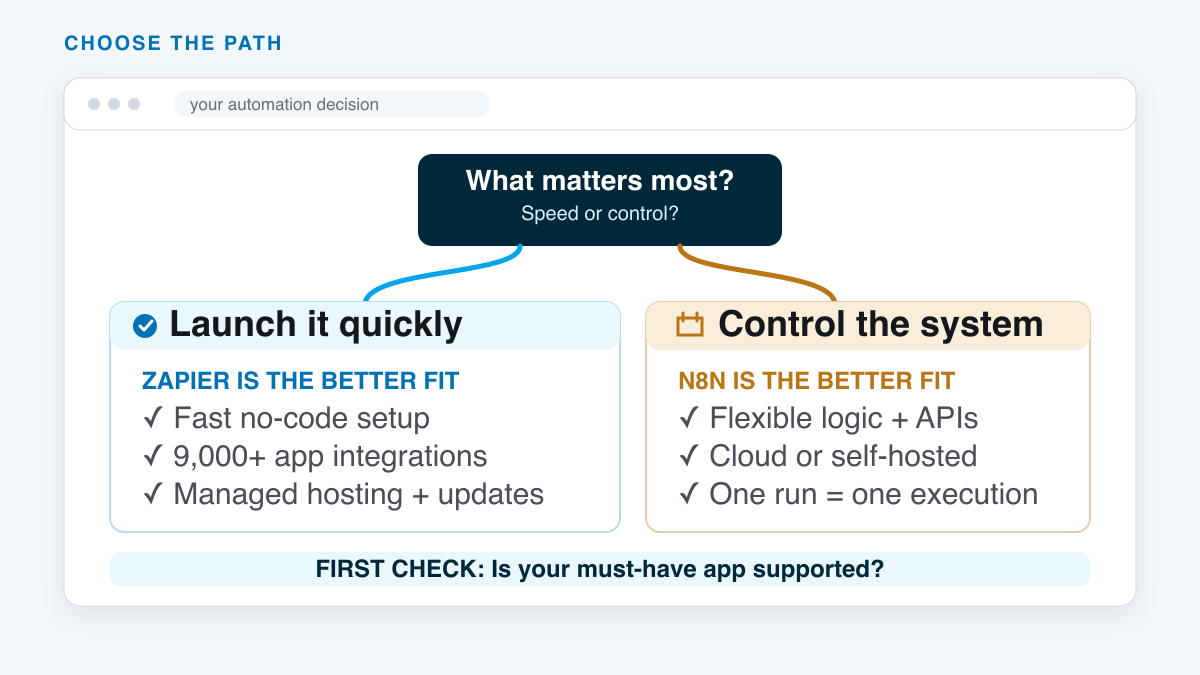
That first decision also identifies the future owner. A workflow is not finished when it runs once. Someone has to update credentials, investigate failures, and understand the logic six months later.
The biggest difference: convenience vs control
Zapier starts from a managed, app-first experience. Pick a trigger, choose an action, connect an account, map the fields, and test the step. That structure is easy to teach and easy to hand to a marketing, sales, or operations teammate.
n8n exposes more of the machinery. Its node canvas makes branches, merges, data transformations, API calls, expressions, and code part of the normal building experience. That is useful when a workflow needs custom behavior. It is extra surface area when all you need is “new form submission, create CRM contact, send notification.”
Use the simplest tool that can handle your hardest real workflow. Paying for unused flexibility is just another kind of waste. So is choosing an easy builder that forces a rebuild three weeks later.
The practical goal is not to win a software comparison. It is to give the workflow enough room without giving the maintainer a system they cannot safely operate.
Which one is easier to learn?
Zapier is easier for most beginners. The trigger-and-action model is direct, the interface keeps decisions contained, and its huge connector library means fewer trips into API documentation. A nontechnical teammate can often understand a well-named Zap just by reading it from top to bottom.
n8n has a steeper learning curve because the builder assumes you may want to inspect and manipulate the data. Data formulas, account permissions, node settings, and error behavior appear sooner. An API is a way for apps to exchange data; a webhook sends a notification when something happens in another app. You may also work with JSON, a common format for organizing that data. A technical user may prefer that honesty because the tool shows what is happening instead of hiding it.
n8n Cloud removes server setup, but it does not remove the workflow-builder learning curve. Self-hosting adds a second learning curve for deployment and maintenance. If “self-hosted” sounds attractive but you have never owned a server, read our beginner guide to web hosting before treating it as the cheap option.
Workflow flexibility, branching, and code
n8n is the stronger fit when the automation behaves more like a small application. You can branch heavily, merge data, loop through items, call APIs, and add JavaScript or Python code steps. The current n8n plan page also lists webhooks, queues, API control, and self-hosted custom nodes.
Zapier still handles more complexity than its old reputation suggests. Paths add conditional branches. Webhooks connect services without a polished app action. Code steps can transform data or call an API. Built-in tools handle filters, delays, loops, storage, tables, and forms.
The difference is how quickly you reach the platform’s edges. Zapier keeps common business automation comfortable. n8n gives technical builders more room once custom data handling becomes the center of the workflow.
App integrations: check the one that can break the project
Zapier advertises integrations with more than 9,000 apps. n8n offers built-in and community nodes, plus generic connections to app APIs. Catalog counts change and use different counting methods, so compare the exact actions you need rather than the headline totals.
n8n can cover missing actions through direct API requests, code, and community-built connectors. That can be more flexible than waiting for a connector update. It is not the same as having a maintained action that a beginner can configure in five minutes.
- List every app the workflow touches.
- Check the exact trigger and action, not only the app logo.
- Confirm authentication works with your account type.
- Test the ugliest data shape and the largest realistic item count.
- Make sure the future maintainer can repair the connection.
If neither tool fits cleanly, our n8n alternatives comparison covers Make, Pipedream, Activepieces, Node-RED, Power Automate, and agent-led options.
Pricing: executions vs tasks
n8n Cloud bills around complete workflow executions. Zapier bills around successful tasks, which are the action steps that complete work. That difference matters more as a workflow gets longer.
Here is a clean example. Assume a workflow runs 1,000 times in a month and completes five standard external actions every time. Under n8n’s current definition, that is 1,000 workflow executions. Under Zapier’s current standard-step definition, that is 5,000 tasks. This example assumes five billable standard actions per run, with no additional billable steps. For Classic Zaps, triggers do not count as tasks. Replaying successful actions can add tasks. Verify the billing shown for your workflow before estimating its cost.
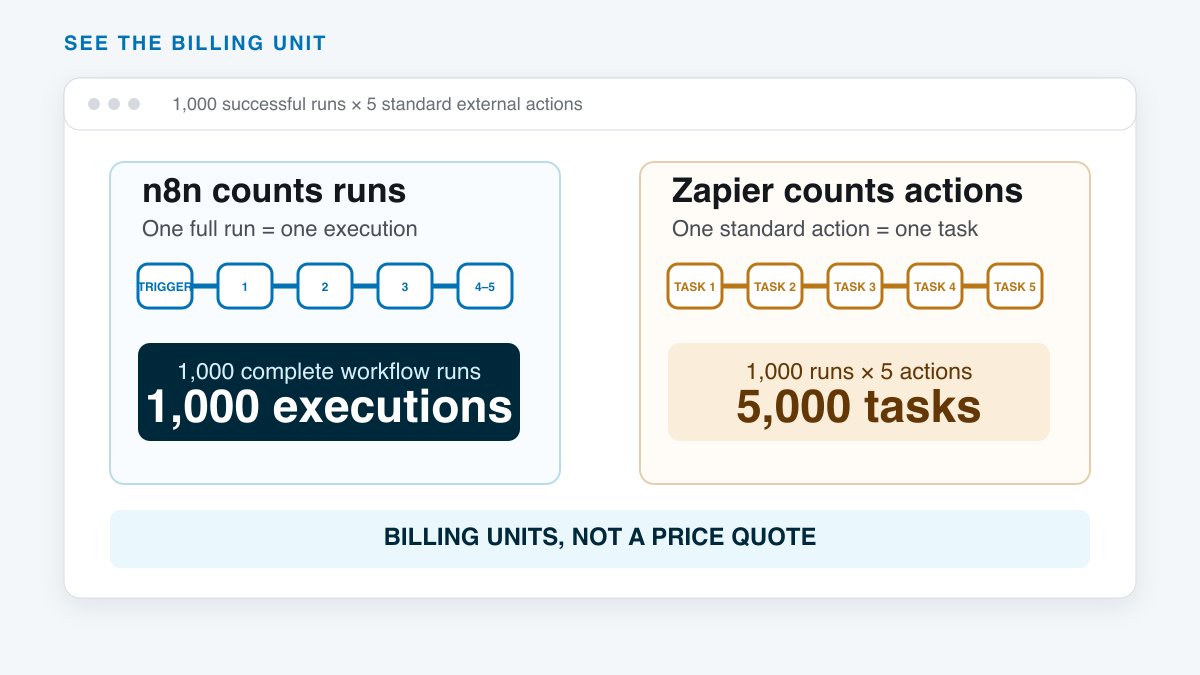
This is a billing-unit example, not a price quote. Billing rules also depend on the workflow type. Built-in tools and AI steps can follow different rates. Starting December 1, 2026, each successful Next Gen Zap run will use at least one task. Check Zapier’s task-usage documentation before estimating a monthly allowance. Use the live Zapier task-rate page when you model the workflow.
On the n8n side, the current Cloud plans start at €20 per month billed annually for 2,500 executions, while Pro starts at €50 billed annually for 10,000 executions. Those were the listed annual-billing prices checked November 5, 2026; taxes, currency, and plan allowances can change. Self-hosted Community Edition removes the Cloud subscription from the comparison, but server time, backups, monitoring, and maintenance are still real costs.
The only honest comparison is one representative month. Count triggers, successful actions, loops, retries, test runs, AI calls, and the time someone spends maintaining the system.
Hosting, data control, and maintenance
Zapier is a managed platform. Zapier operates the application, runtime, and core infrastructure. You still own safe account permissions, good workflow design, and the data you send through connected services.
n8n gives you two different operating models. n8n Cloud is managed by n8n. The Community Edition can run in your own environment. Self-hosting can give you more control over network access and where workflow data lives, but it also makes server updates, backups, uptime, monitoring, and recovery somebody’s job.
The free Community Edition does not include shared workflows or credentials, projects, or single sign-on. If several people need to manage the same automations, compare the paid plans before choosing self-hosting.
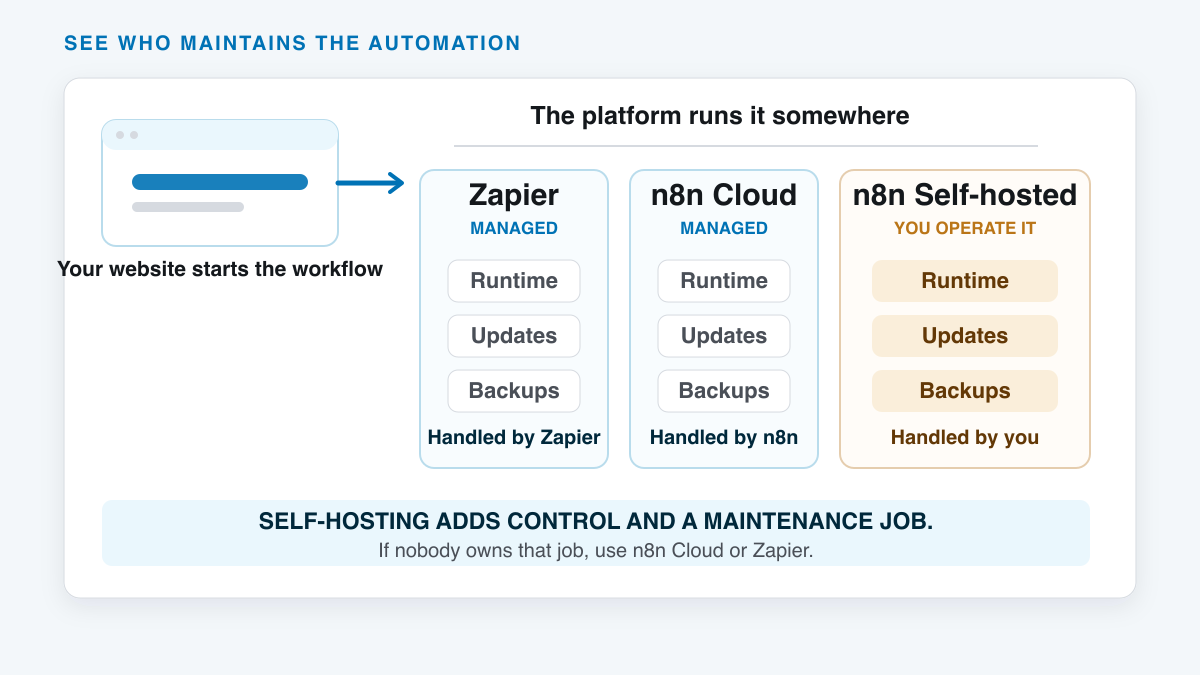
Self-hosting is valuable when the requirement is real and the owner is named. It is a liability when the server becomes an unlabeled box that nobody remembers until a credential expires. Our website security guide covers the same basic lesson: control only helps when maintenance is part of the plan.
Choose n8n if…
- A technical builder will own the workflows.
- You need custom API calls, code, or unusual data transformations.
- Self-hosting, network control, or data location is a real requirement.
- Your workflows have many successful action steps per run.
- You expect reusable sub-workflows, complex branches, or AI tool chains.
- You are willing to document and maintain the system after launch.
n8n is especially attractive when automation is part of the product or operating system, not just a convenience between two SaaS apps. Its flexibility pays off when the workflow needs to evolve like software.
Choose Zapier if…
- A business or operations teammate will own the workflows.
- You want the fastest route from idea to reliable automation.
- Ready-made app coverage matters more than infrastructure control.
- Most workflows are straightforward triggers, actions, filters, and branches.
- You want one managed platform with support and team features.
- You would rather pay for convenience than operate another system.
Zapier is my default recommendation for a first business automation because it removes more ways to get stuck. Move toward n8n when the workflow proves it needs deeper control, not because a complicated canvas looks more powerful.
THE PRACTICAL TRADE-OFF
n8n gives you control. Zapier gives you speed.
Why n8n wins
- Flexible workflow logic A strong fit for branches, custom APIs, structured data, and code.
- Cloud or self-hosted Use n8n Cloud for convenience or operate the Community Edition yourself.
- Execution-based Cloud billing A complete workflow run counts once, even when it has many steps.
Where n8n costs you
- More technical learning Expressions, data structures, and error handling appear sooner.
- Smaller connector catalog Missing actions may require HTTP requests, code, or community nodes.
- Self-hosting adds operations Updates, backups, security, monitoring, and recovery need an owner.
Zapier flips those trade-offs. Its connector catalog and guided builder reduce setup friction, while task-based usage can grow quickly in long workflows. That is why the real workflow, not a generic feature score, should decide.
Test the same workflow in both
Do not migrate a whole operation based on a homepage. Build one small workflow in both tools using the same data and the same failure case.
- Trigger the workflow from a real form, webhook, or scheduled event.
- Clean one field and reject one bad input.
- Send the valid data to two connected apps.
- Add one branch and one notification.
- Force a failure, then find and rerun it.
- Estimate a month of usage from the test run.
- Hand the workflow to the person who will maintain it.
The winner is the tool that handles the hard part cleanly and still makes sense to its future owner. If you are experimenting with agent-led automations instead of fixed workflows, see our practical OpenClaw use cases before mixing an AI agent into a deterministic process.
Frequently Asked Questions
Is n8n better than Zapier?
n8n is better for technical teams that need custom logic, self-hosting, or long workflows. Zapier is better for most beginners and business teams that value fast setup and broad app coverage. Neither is better for every workflow.
Is n8n cheaper than Zapier?
It can be for long or high-action workflows because n8n Cloud counts a complete run as one execution while Zapier counts successful actions as tasks. Self-hosting can also change the subscription cost, but it adds infrastructure and maintenance. Model one real month before choosing.
Can n8n replace Zapier?
Yes, if n8n supports your required apps or your team can connect them through APIs and code. Rebuild and test one representative workflow before moving production traffic. Complex Zaps do not transfer automatically.
Is n8n free?
n8n has a self-hosted Community Edition. The software may not require a Cloud subscription, but the server, backups, updates, security, and the person maintaining it still have a cost. n8n Cloud is paid and removes most infrastructure work.
Is Zapier only for simple automations?
No. Zapier supports multi-step workflows, conditional Paths, webhooks, loops, code, tables, forms, and AI tools. n8n usually gives technical builders more freedom at the edges, but Zapier can handle serious business automation.
Which is better for AI workflows?
n8n is a strong fit when the workflow combines model calls, tools, custom data handling, memory, and code. Zapier is often easier when AI is one step inside a broader business workflow. Keep a human approval step before publishing, emailing, or changing important records.
Should I self-host n8n?
Self-host only when control or data location is a real requirement and someone owns updates, backups, monitoring, security, and recovery. If you want n8n’s builder without the infrastructure job, use n8n Cloud.
Before paying for either tool, test one representative workflow, including a failure and recovery. Choose the platform the future maintainer can understand and repair.