You are building
How to Build an Online Business Website (2026)
Create the website, offer, and customer path your online business needs to make its first sale.
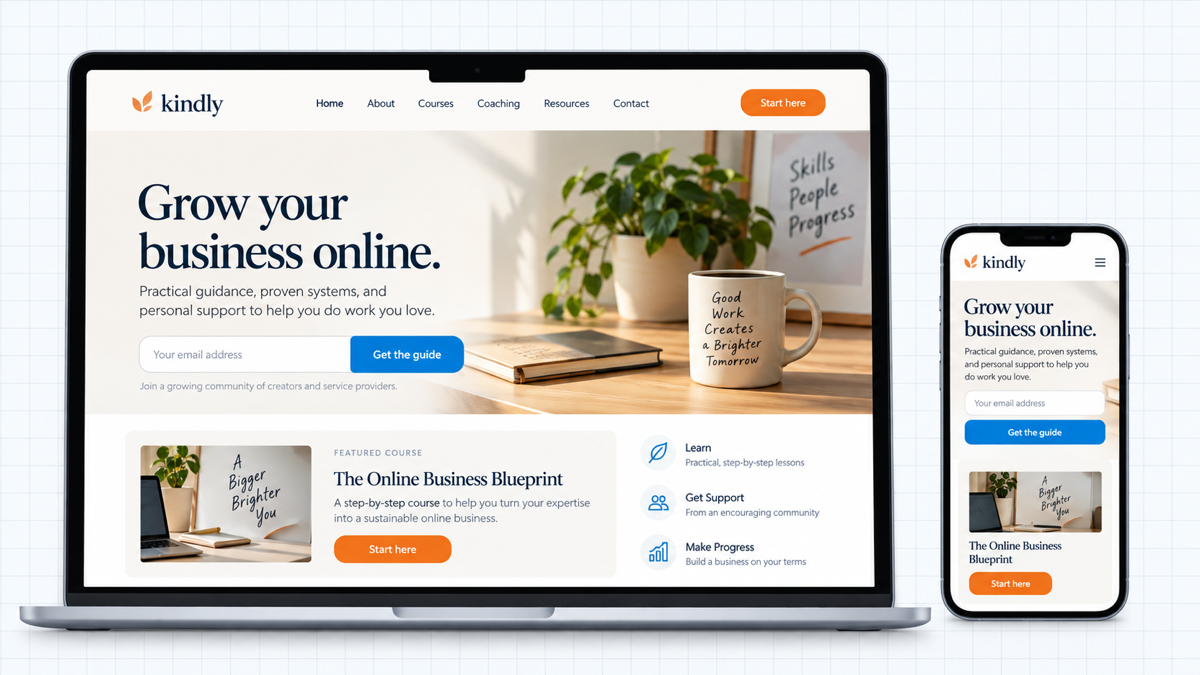
An online business website is not a digital brochure. It has to explain what you sell, prove why it is useful, collect the right contact or payment, and deliver a clear next step without you standing beside the visitor.
This guide is for consultants, coaches, freelancers, course creators, membership owners, and anyone selling a digital product or service. If you sell physical products with shipping and inventory, use our online store guide instead.
By the end, you will have a WordPress website on your own domain with a focused homepage, offer page, email capture, booking or checkout path, delivery step, analytics, and a tested launch.
Choose the Offer and Primary Action
Decide what the website must do
Start with the transaction, not the colors. What do you sell, and what should a qualified visitor do next? A consultant may need a booked call. A course creator may need an enrollment. A template seller may need a purchase and download.
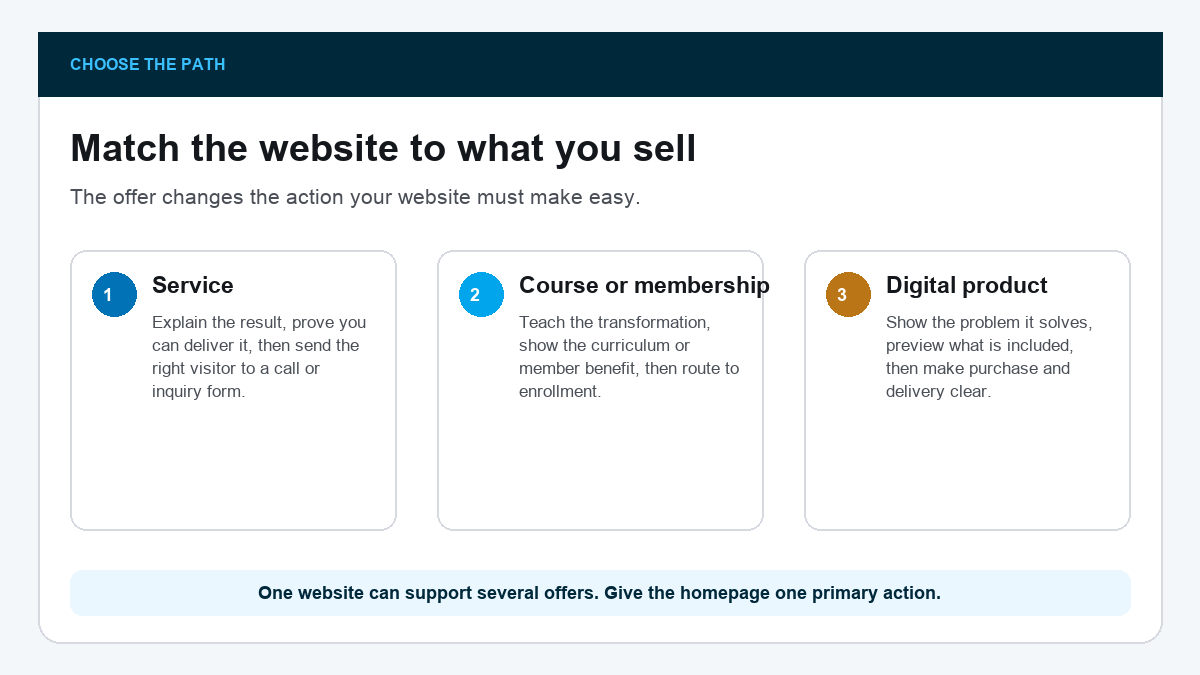
Pick one primary action for the homepage. You can support other offers later, but the first screen should not ask a stranger to book, subscribe, buy, follow, watch, and browse at the same time.
- Service: Book a call or submit an inquiry
- Course or membership: See the curriculum and enroll
- Digital product: Preview what is included and buy
- Audience-first business: Join the email list and receive one useful resource
Homepage checkpoint: Write the action before the homepage headline. The page exists to earn that action, so every section should reduce the doubt standing in its way.
Buy Hosting and Register the Domain
Own the foundation
Your domain is the address. Hosting is the server that keeps the website online. WordPress is the software you use to build and manage it. That combination gives you control over pages, email capture, checkout tools, analytics, and future changes.
I recommend Hostinger for this beginner WordPress build because its setup keeps the domain, hosting, and WordPress installation in one guided flow. Go through our Hostinger discount page, compare the current WordPress plans and renewal terms, and choose one with backups and enough room for the plugins your offer needs. Promotional prices change, so review the current checkout rather than relying on an old screenshot.
Choose a domain built around the brand you want to keep. Make it easy to hear once, type once, and remember. If the business may expand from coaching into courses or products, do not lock the domain to one narrow service.
Keep the domain and hosting accounts in your name or business account. A contractor can help build the site without owning the asset.
Install WordPress and Import a Starting Design
Begin from a professional structure
Use Hostinger’s setup flow to install WordPress, create your admin login, and connect the domain. Bookmark your domain followed by /wp-admin. That is the dashboard you will use to edit the site.
From the WordPress dashboard, go to Appearance → Themes → Add New, search for Astra, click Install, and then Activate. Next go to Plugins → Add New, install Starter Templates, open it under Appearance, and choose Elementor as the page builder.
Search the Starter Templates library for a layout close to your model: consultant, coach, online course, membership, author, or digital agency. Preview its Home, About, and Contact pages, confirm Elementor is selected, then import the complete site. Pick the structure that gets you closest, not the colors you like most.
This full-page course template shows the kind of structure worth borrowing: a clear first action, offer cards, proof, email capture, and a complete footer. Treat every word, image, person, rating, and contact detail as demo content.
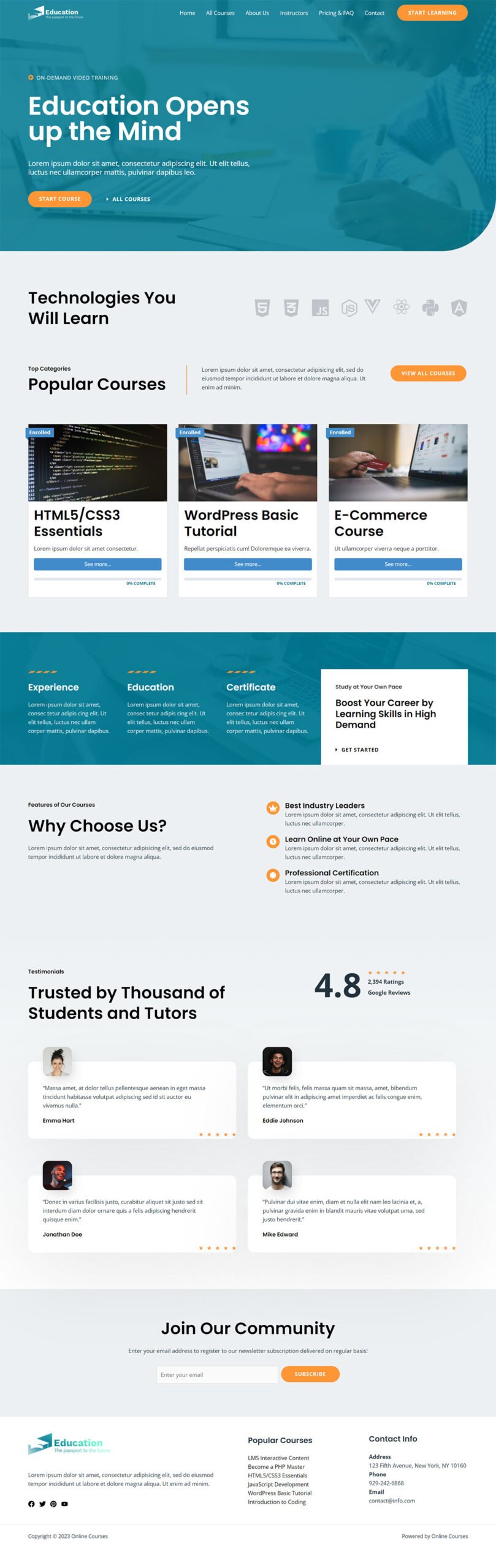
Import only the pages you need. A strong first version usually includes Home, About, Offer, Contact, Privacy, Terms, and a Thank You page. Add a Resources or Blog section only if you will maintain it.
Our WordPress tutorial explains the dashboard, while the Elementor tutorial shows how to edit the imported layout.
Build a Homepage Around One Promise
Help the right visitor self-select
The first screen should answer four questions quickly: Who is this for? What changes for them? Why should they trust you? What should they do next? Replace template copy with a specific promise and one button tied to the primary action.
A useful formula is Get [result] without [painful method]. Follow it with one sentence that names the audience and mechanism. Then show the first proof: a real result, a sample, a short case study, a demonstration, or a clear explanation of your process.
Open Pages → Home → Edit with Elementor. Click the headline directly on the canvas, replace it, update the button label and link, and click Update before leaving the page.
Do not invent testimonials, client counts, or income claims to fill the template. A transparent process, useful sample, founder experience, or product preview is stronger than fake social proof.
A stranger should be able to explain what you sell and click the correct next step after ten seconds on the homepage.
Create the Offer Page
Turn interest into a decision
The offer page does the work a sales conversation would normally do. Name the reader’s current problem, the result, what is included, how the process works, who it fits, what happens after purchase or inquiry, and the next action.
- Outcome: the practical change the buyer wants
- Method: how your service or product creates that change
- Deliverables: exactly what they receive
- Fit: who should buy and who should not
- Process: what happens after the button
- Questions: price, timing, access, support, refunds, or cancellation where applicable
Show the real product where you can. Include a lesson preview, template screenshot, sample deliverable, member area tour, or service process. Do not hide the thing behind a wall of hype.
If your offer is still unclear, review our online business ideas before building ten pages around it.
Add Email Capture
Own a direct follow-up channel
Most visitors will not buy on the first visit. Give the right person one reason to join your email list: a checklist, sample, short lesson, calculator, template, or useful newsletter promise tied to the offer.
Keep the form short. Email is enough for most first opt-ins. Tell people what they will receive and send it immediately. The thank-you page should confirm the signup, explain where to find the email, and point to one useful next step.
Test the form with an address you control. Confirm the contact appears in the email platform, the delivery message arrives, every link works, and the unsubscribe path is present.
If the message does not arrive, check the form notification address, spam folder, and sending-domain setup before changing the design.
An email form is not finished when it looks right. It is finished when a real submission reaches the list and the promised email arrives.
Connect Booking, Checkout, and Delivery
Complete the transaction
Choose the shortest path that matches the offer. Services may use a contact form or scheduling tool. Courses and memberships need payment plus protected access. Digital products need payment plus reliable file or license delivery.
- Service: create a short WPForms inquiry form or link the main button to your scheduling page; set the receiving inbox and confirmation message
- Course or membership: use a membership platform to create the product, protect the lessons or resources, connect payment, and link the registration page from the offer
- Digital product: use WooCommerce or a dedicated digital-product platform; add the product, connect the payment processor, configure the download email, and make a test purchase
For the service path, install WPForms, go to WPForms → Add New, choose Simple Contact Form, keep only the fields you need, and set the notification inbox and confirmation under Settings. Embed the form on the Contact page and point the homepage button there. The current WPForms walkthrough and our WordPress contact-form guide cover the exact builder screens. Submit it from a private window and confirm both the inbox message and visitor confirmation.
For a WordPress course or membership, one concrete route is MemberPress. Install and activate it, open MemberPress in the dashboard, and complete the onboarding wizard: create the first membership product, choose one-time or recurring billing, protect the first lesson or resource, connect the payment option, and save the generated registration URL. Link that URL from the offer page, then register with a test account and confirm payment, access, welcome email, account page, and cancellation. Check the current MemberPress setup guide because its screens and plan requirements can change.
For a WordPress checkout, install WooCommerce’s current official Stripe extension under Plugins → Add New, connect the processor account you control, enable test mode, and complete the checkout before switching to live payments. Use the processor and platform documentation for tax, receipt, access, and refund requirements in your location.
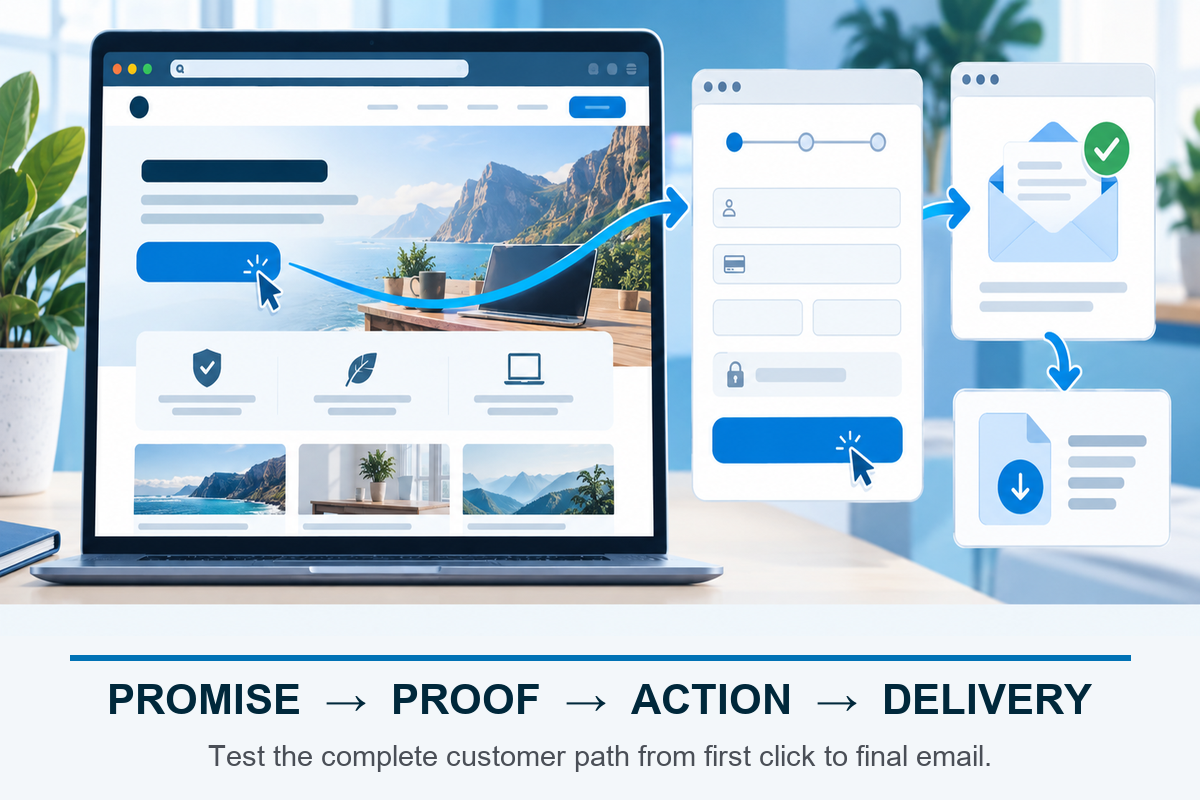
Complete a test transaction before launch. Use a sandbox when the platform provides one, or make a small real purchase and refund it. Verify the receipt, thank-you page, account or download access, mobile experience, cancellation path, and support contact.
Never share the site until you have bought or booked from yourself. A broken delivery email turns a successful checkout into an immediate support problem.
Add Analytics, Security, and Backups
Protect the customer path
Install only the tools you will use. At minimum, connect analytics for the primary action, keep WordPress and plugins updated, use strong unique passwords with two-factor authentication where available, and confirm backups can be restored.
Our guides cover Google Analytics for WordPress, website security, and WordPress backups. Set these up before paid traffic or a launch email sends more people into the site.
Track the action that matters: booked call, completed signup, checkout, or purchase. Pageviews alone cannot tell you whether the business path works.
Run the Full Launch Test
Follow the path end to end
Open the website in a private browser window and pretend you have never seen it. Read the first screen, use the navigation, submit the form, complete the booking or purchase, open the delivery email, and use the product on a phone.
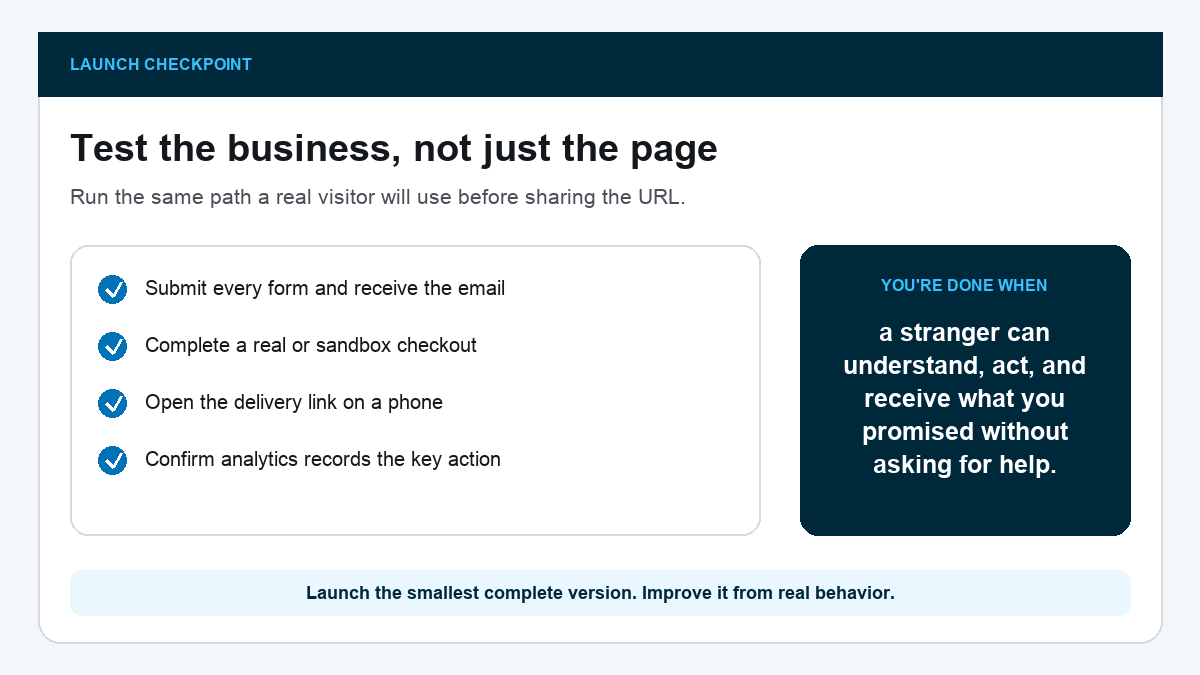
Ask one person in the target audience to try without coaching. Watch where they pause. Fix the first serious point of confusion, then run the path again.
When the path works, launch the smallest complete version. A focused site with one working offer beats a polished maze of half-finished products.
What Makes an Online Business Website Different
A local business website usually helps someone call, visit, or book nearby. An online store centers a catalog, cart, inventory, shipping, and checkout. An online business website often sells expertise or a digital outcome, so its hardest job is making an invisible offer feel concrete.
That means the site needs more than a clever headline. It must show the method, what the buyer receives, how access or delivery works, and what happens after the button. The customer cannot hold a coaching call, course, membership, or template before buying it. Your page has to remove that uncertainty honestly.
What to Put on Each Page
- Home: audience, result, proof, primary action, and one clear offer
- About: relevant experience, point of view, and why the business exists
- Offer: outcome, method, deliverables, fit, process, questions, and action
- Contact: the right support or sales route with a realistic reply expectation
- Thank You: confirmation, delivery instructions, and the next useful step
- Privacy and Terms: policies that match the forms, tools, checkout, and actual business practices
Keep navigation short enough to understand at a glance. The site can grow later, but every new page should have one job and a clear owner. A page added only because another website has it becomes maintenance work without helping the customer path.
What to Watch During the First 30 Days
The first month is not a verdict on the business. It is a chance to find where the customer path is unclear. Look at the questions people ask before buying, the pages they visit before acting, and the exact step where bookings, signups, or purchases stop.
- No one clicks the primary button: the promise, audience, or button label may be unclear
- People click but do not finish: test the form, checkout, calendar, and mobile experience before changing the offer
- Buyers ask the same question: answer it on the offer page and in the confirmation email
- People buy but need help getting access: simplify the thank-you page, delivery message, and login instructions
- Traffic arrives for the wrong reason: tighten page titles, headlines, navigation labels, and internal links around the actual offer
Change one meaningful part at a time so you can tell what helped. A new headline, shorter form, clearer sample, or repaired delivery email can be measured. Rebuilding the entire website every week hides the lesson.
Keep a simple log with the date, observed problem, change, and result. That record turns the website into a learning system instead of a pile of opinions.
Do not treat every quiet day as a design failure. Search traffic, referrals, email replies, and sales conversations arrive on different timelines. First confirm the path works. Then improve the message or distribution using evidence from real visitors.
Frequently Asked Questions
What is an online business website?
It is a website that helps a business sell or deliver services, courses, memberships, digital products, or audience-supported offers without relying on a physical storefront.
Should I use WordPress for an online business?
WordPress is a strong fit when you want control over content, landing pages, email capture, integrations, and long-term ownership. Choose the specific booking, course, membership, or checkout tool based on your offer.
Do I need a blog?
No. Add one only when publishing useful content is part of how people will discover or trust the business. A neglected blog is not required for launch.
What pages do I need first?
Start with Home, About, Offer, Contact, Privacy, Terms, and Thank You. Add login, checkout, curriculum, resources, or blog pages only when the offer needs them.
How do I sell a course or membership?
You need an offer page, payment, protected access, welcome email, and a support or cancellation path. Test the complete enrollment with your own account before launch.
How do I know whether the website works?
Track the primary action and complete it yourself. If visitors understand the promise, take the action, receive the next step, and can get help, the core path works.
Launch the Smallest Complete Customer Path
Once one promise, action, and delivery loop works on desktop and mobile, put the site in front of real visitors. Their questions, signups, calls, and purchases will tell us what to improve next.