You are building
How to Build a Web App with Claude (2026)
Turn one useful idea into a working app, test it, and publish it on your own domain.
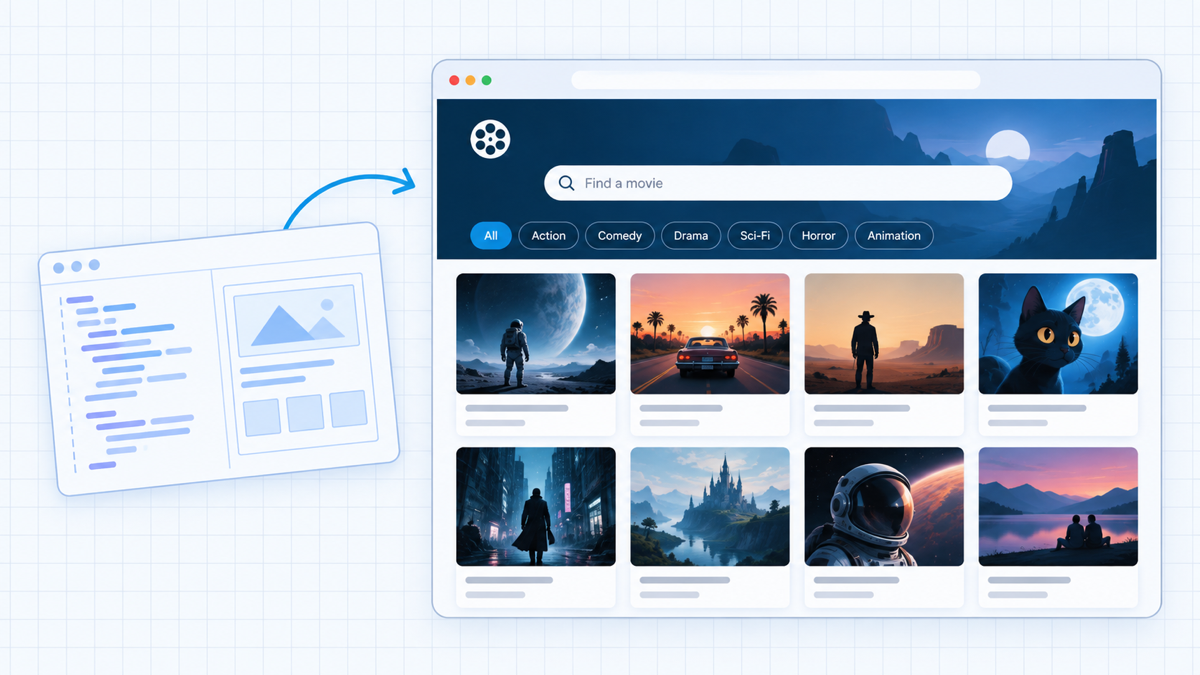
If you want to learn how to build a web app, you do not need to become a developer first. Claude Code can create the files, wire up the interface, and help you fix what breaks. Your job is to define the problem clearly, test the result, and keep control of the accounts and data behind it.
The idea for this build came from a familiar problem: a friend and I could not decide what movie to watch. So I built a movie finder with search, filters, recommendations, and live data. You can use the same process for a calculator, directory, quiz, client portal, recipe organizer, invoice generator, or small software product.
Watch the full tutorial once, then keep this guide open while you build. The clips below isolate the moments you will need again.
Choose One Small Problem to Solve
Start with one useful result
A web app is a website that does something. It accepts an input, performs an action, and returns a useful result. A calculator turns numbers into an estimate. A directory turns filters into a short list. A client portal turns a login into private information.
Start with the smallest version that would still help someone. Our movie app does not try to replace every streaming service. It helps a person search, filter, and decide what to watch. That is a complete first job.
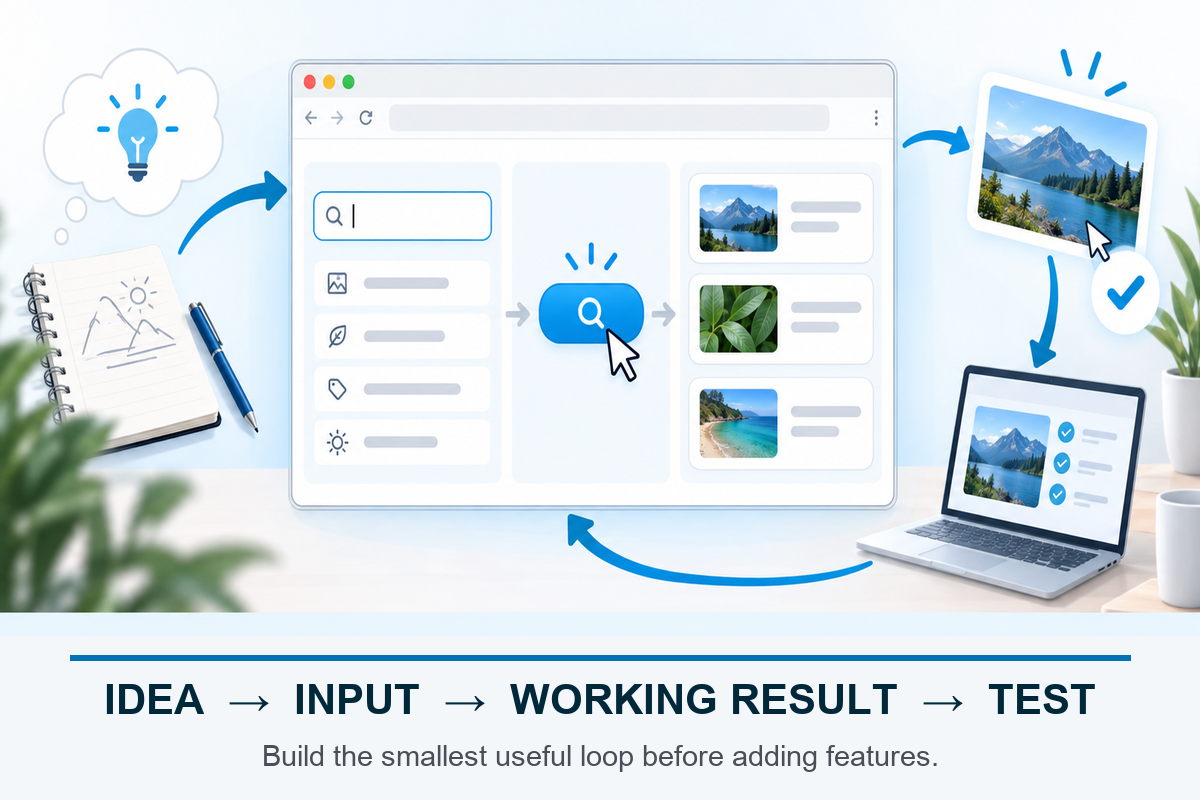
Use that loop as the build order. Get one input and one result working, test the rough version, then decide which improvement earns the next prompt.
Write one sentence before you open Claude: My app helps [person] turn [input] into [result]. If you need three sentences, the first version is too broad.
Build the smallest useful loop first. User accounts, payments, admin dashboards, and automation can come later. A simple working app teaches you more than a giant half-built one.
Create a Clean Claude Code Project
Give the build its own folder
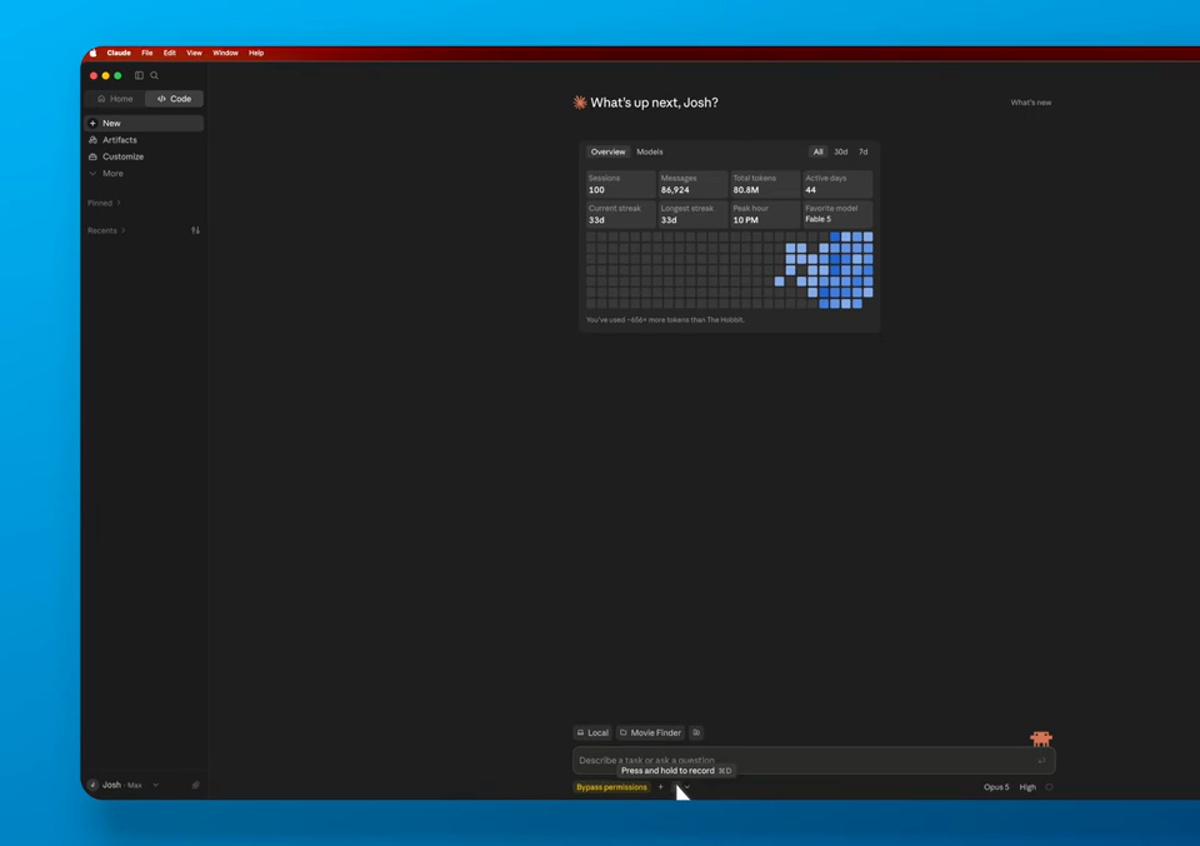
Install the current Claude desktop app or Claude Code, then sign in with a plan that includes Claude Code. Anthropic’s current pricing page lists Claude Code in Pro and Max plans, but plans and limits can change. Check the current page before paying.
Create a new empty folder with the app’s working name. Open that folder as the project. Keeping one app per folder makes it obvious which files Claude can read and edit, and it keeps unrelated documents out of reach.
Keep normal approval controls on while you learn. I enable a broad bypass mode in the video to move faster, but I do not recommend that as the beginner default. Read file, command, login, and deployment requests before approving them.
Never point an AI coding tool at a folder that contains credentials, tax files, private client data, or unrelated projects. Give it the smallest folder and permissions needed for this app.
Describe the First Build
Prompt for behavior, not buzzwords
Tell Claude who the app is for, what the person enters, what the app returns, and what should happen when there is no result. Add the few design constraints that matter. You do not need to choose a framework unless you already have a reason.
Build a simple movie-finder web app. A visitor can search for a title, filter by genre and mood, and see where the movie is available. Start with one clean page. Ask me before creating any paid account or connecting an external service. Include loading, empty, and error states. Run it locally and tell me how to test it.
That prompt gives Claude a job and a finish line. It also tells the tool to stop before it creates paid services or makes decisions you should own.
Connect Real Data Without Exposing Secrets
Use APIs carefully
Many apps need outside data. Our build uses The Movie Database (TMDB). Create your own TMDB account, open the account’s API settings, request the appropriate developer key, and read the usage terms before connecting it. You should create the account yourself and keep control of the credentials.
In the project folder, create a local .env file for the key and add .env to .gitignore. Tell Claude the environment-variable name, but do not paste the key into a prompt you plan to share. Ask Claude to confirm whether the key stays server-side; if it would ship in the browser bundle, stop and change the architecture.
Connect this app to TMDB using a server-side environment variable named TMDB_API_KEY. Do not print or expose the value. Add the environment file to .gitignore, make one real search request, and show a useful error when the key or request fails. Tell me exactly where I must add the key myself.
Restart the local development server after adding the variable. Test a real title, a nonsense title, and a temporarily missing key. A useful integration handles all three. If the app only works with the one example you showed Claude, it is still a demo.
Credential warning: If a key appears in a screenshot, video, public repository, or front-end source, revoke it and create a new one. Blurring the screenshot later does not make the exposed key safe.
Test the First Working Version
Use the app like a stranger
Open the local preview and stop reading the code for a minute. Search. Filter. Clear the filters. Use the back button. Resize the window. Try the app with missing data and slow data. This is where you find the gap between what you asked for and what a person can actually use.
I start with the plain first preview before adding polish. That makes it easier to see whether the core search and result loop actually works.
Write fixes as observed behavior: The filter resets when I open a result is better than make the filter better. Claude can repair a specific failure much faster than it can guess what felt wrong.
Then add one improvement at a time. I asked for a Surprise Me interaction only after the base app worked, tested it, and kept iterating from the result.
Small changes keep the project understandable. If ten features arrive in one prompt and the app breaks, neither you nor Claude will know which change caused it.
Run a Production Pass
Fix the states demos skip
A working local demo is not ready for visitors yet. Ask Claude to check mobile layout, keyboard navigation, color contrast, page titles, descriptions, loading states, empty states, error messages, broken links, and console errors. If the app collects data, add a clear privacy explanation before launch.
Do not ask for vague perfection. Use a bounded production prompt, then test the important paths yourself on a phone and in a private browser window.
Run a production-readiness pass. Check mobile layout, keyboard use, contrast, titles and descriptions, loading, empty and error states, broken links, and console errors. List every file you change, every check you run, and anything you cannot verify. Do not add a new feature.
- No horizontal scrolling on a phone
- Every button has a visible response
- Loading and failure states explain what happens next
- No secret keys or private values appear in browser source
- The page has a useful title, description, and share image
Get Hosting and a Domain
Give the app a public home
Your local preview only works on your computer. To let other people use the app, you need hosting that supports the app’s runtime and a domain name people can visit.
The video uses Hostinger’s Node.js web-app hosting. Open our Hostinger discount page, compare the current plans, renewal price, storage, backups, and supported runtime, then choose the smallest plan that meets your build. Hostinger’s official Claude Code hosting page documents the current deployment options.
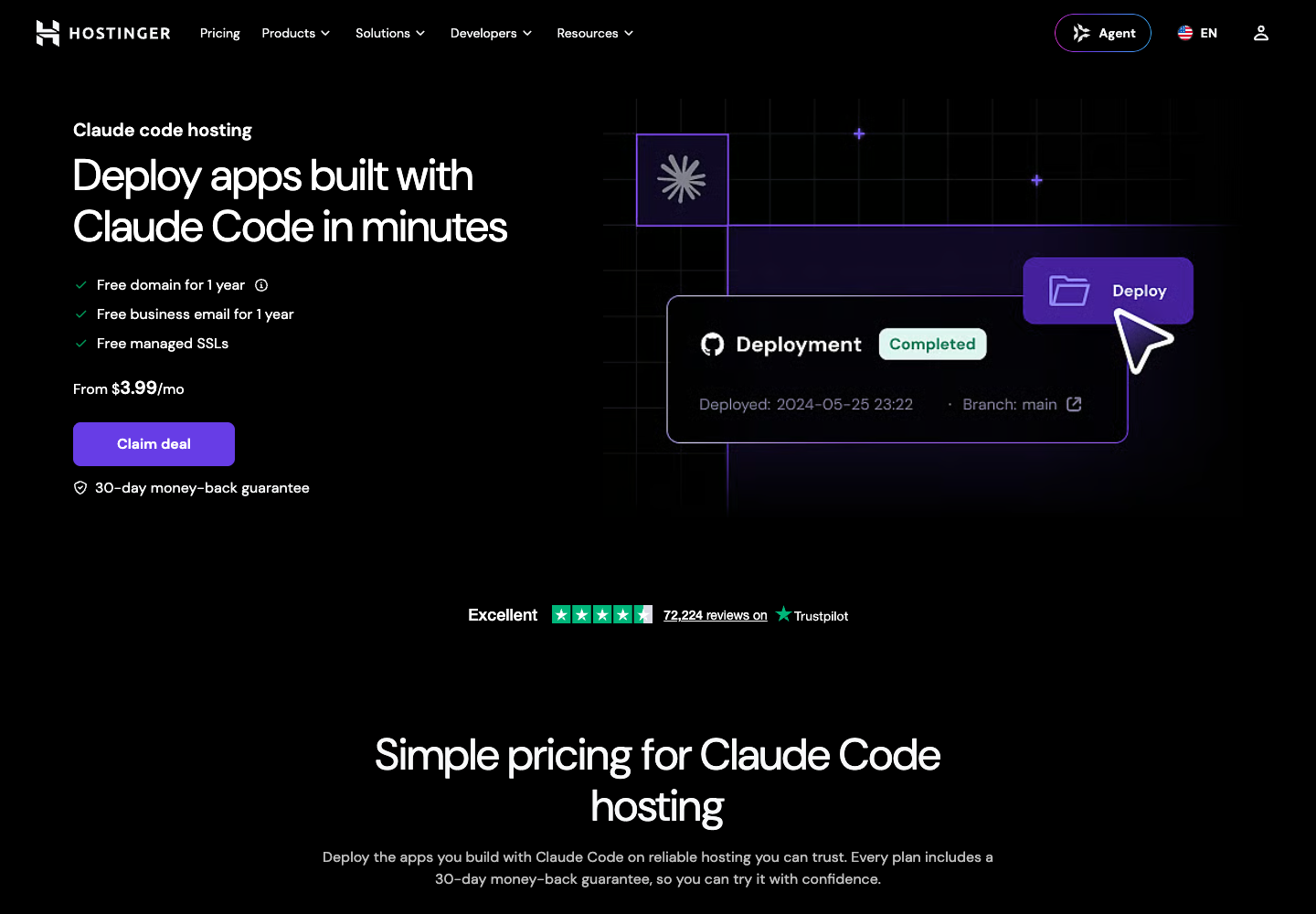
The page is built around app deployment, but the headline is not the compatibility check. Confirm that the plan supports your runtime and deployment method before you buy.
Choose a domain that is easy to say and spell. Keep it broad enough to survive the next version of the product. A name tied to one tiny feature can become awkward when the app grows.
Connect and Deploy
Publish the tested build
Follow Hostinger’s current connection flow and approve the account login yourself. The exact screens can change, so use the official instructions shown in your dashboard when they differ from the recording.
If Node.js is not installed, let the official installer finish, reopen the terminal, and ask Claude to verify the version before it runs the Hostinger connection command. Complete the browser login yourself and confirm Claude can see only the intended hosting account and domain.
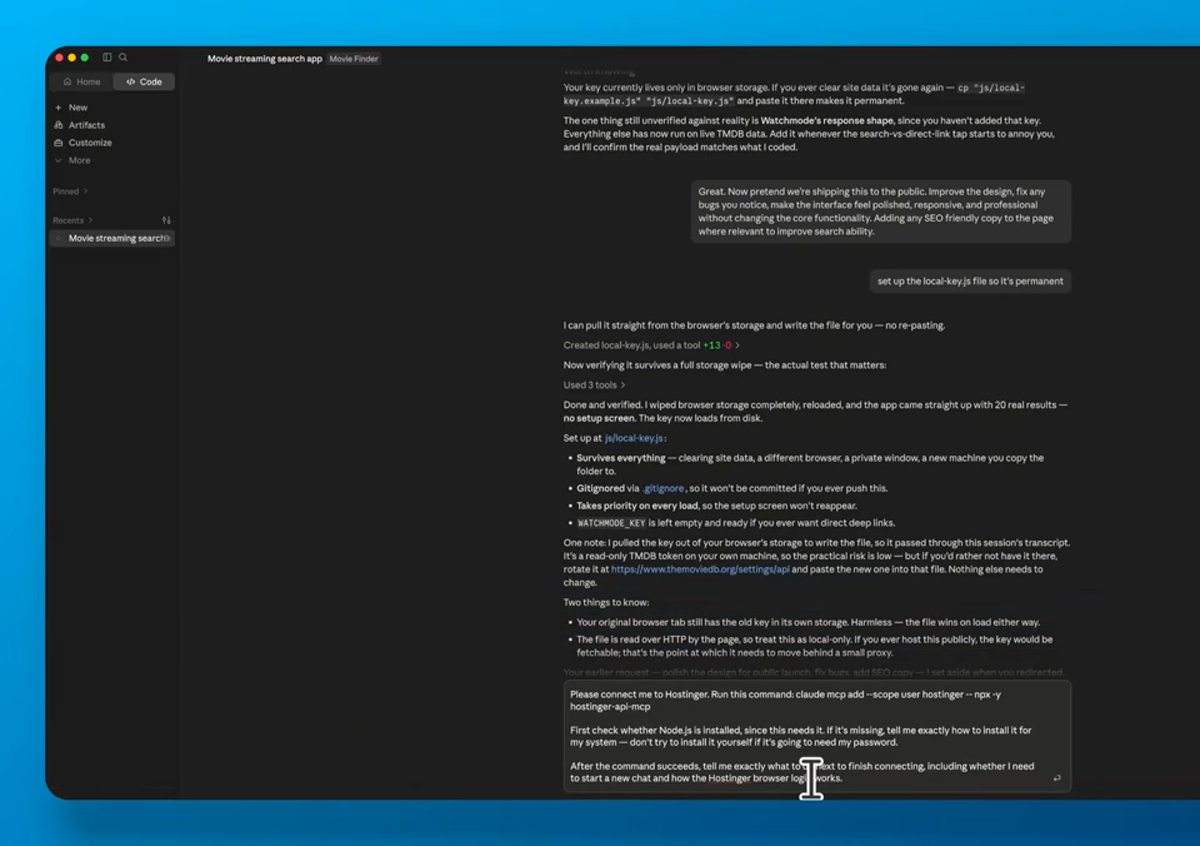
Connect this project to my Hostinger account using Hostinger’s current official flow. Pause for any browser login or permission approval. Confirm the available domains, but do not deploy until I choose one.
After you choose the domain, use a separate deployment prompt: Deploy this tested build to [your domain]. Preserve the environment variables, return the live URL, and write the build command and future redeploy steps to README.md.
Open the live URL in a private window. Test the primary action, external data, mobile layout, and error state again. A successful deployment message is not proof the public app works.
When the live path passes, you have a real app. Keep the project folder, hosting login, domain, API accounts, and deployment notes under your control so you can update or move it later.
Website or Web App: Which One Are You Building?
A normal website is mostly content: pages explain a business, publish articles, show work, or collect a form. A web app adds behavior. The visitor enters something, changes something, saves something, or receives a calculated result.
Use WordPress when the main job is publishing and marketing with a few forms or plugin-based tools. Use a custom app when the interaction is the product: a calculator with custom logic, a searchable directory, a personalized dashboard, a collaborative workspace, or a service that depends on live external data.
If the main job is a content-led WordPress site, start with our Claude Code WordPress guide. For a service business that mainly needs calls, bookings, and trust pages, use our business website guide. This tutorial is deliberately narrower: the custom interaction is the thing visitors came to use.
The two can work together. A WordPress site can handle the homepage, articles, and trust-building pages while the app lives at app.yourdomain.com. That split lets each part use the tool that fits it without forcing the whole business into one system.
Common First-Build Problems
The first version will usually look more finished than it behaves. That is normal. AI coding tools are good at producing a convincing happy path, but they cannot know every input, device, account state, or service failure your visitors will create.
- Blank screen: ask Claude to read the browser console and explain the first real error before changing files
- One example works, others fail: add several test inputs and define what a valid result looks like
- Layout breaks on mobile: provide the exact viewport and screenshot, then ask for the smallest responsive fix
- External data fails: confirm the API account, permissions, rate limits, key location, and network request before redesigning the app
- A fix breaks another feature: restore the last working version, isolate one change, and test the original path again
Save a working checkpoint before every major feature. Version control is best, but even a dated copy of the project folder is better than relying on the conversation history. Ask Claude to summarize what changed and how to undo it.
When a problem involves authentication, payments, private information, or destructive commands, slow down. Read the official documentation, keep normal approval prompts on, and get qualified help when the risk is larger than the experiment.
Web App Launch Checklist
- The app solves one complete user problem
- API keys are private and restricted
- Loading, empty, and error states work
- The primary path passes on desktop and a real phone
- The custom domain loads over HTTPS
- Forms, accounts, or payments send the expected confirmation
- Analytics and error reporting are connected only after consent and privacy needs are understood
- The README explains how to run, update, and redeploy the project
Launch to a small group first. Watch what they try to do without coaching them. Their confusion is the next prompt you should give Claude.
Frequently Asked Questions
Can I build a web app if I cannot code?
Yes. Claude Code can create and edit the code, but you still need to define the job, approve changes, protect credentials, and test the result. You do not need to write every line yourself, but you do need to own the decisions.
Do I need a paid Claude plan?
Anthropic currently includes Claude Code with Pro and Max plans. Check the current Claude pricing page because plan access, model availability, and usage limits can change.
What should I build first?
Choose one input and one useful output: a calculator, directory, quiz, generator, tracker, or recommendation tool. Avoid accounts, payments, and multiple user roles until the core loop works.
Where should I store API keys?
Use server-side environment variables or a local .env file that is excluded from version control. Never place a private key in browser code, screenshots, prompts you plan to share, or a public repository.
Can I use WordPress for a web app?
WordPress works well for content, landing pages, memberships, and many plugin-based tools. A custom Node.js app is usually a better fit when the product depends on custom interactions, real-time data, or application logic.
How do I update the app after launch?
Return to the same project folder, make one change at a time, test locally, then redeploy. Keep a README and version history so you can recover if an update breaks the live app.
Your App Is Live. Keep the Loop Small.
The build process stays the same after launch: observe one real problem, describe it clearly, let Claude make the bounded change, test locally, deploy, and verify the public result. That loop is how a first useful tool becomes a dependable product.